
WAVV offers 3 dialing modes: Standard, Advanced, and Answer Boost. Let's break down each one:
Standard Dialing Mode
When Standard dialing mode is selected, this will slow things down a little instead of power dialing. After each call (answered or unanswered), you'll need to click "Resume" in order to call the next person.
This is great for users trying to get used to WAVV and wanting to move a little slower through their leads.
Advanced Dialing Mode
When using Advanced Dialing Mode, you won't need to click "Resume" between connected calls. WAVV will power dial automatically through leads until someone answers or you're connected to a voicemail. Once you're done with these connected calls, you'll need to click "Resume."
Answer Boost
Answer Boost streamlines your calling process by dialing up to 3 of your contacts in the background and it only connects you to the call when it detects a live answer, bypassing answering machines entirely.
Benefits:
Maximize Efficiency: Spend less time waiting and more time talking to real people.
Seamless Process: Stay focused while the system does the work for you.
Enhanced Productivity: Reach more contacts in less time without interruptions.
How does Answer Boost Work?
When Answer Boost is active, WAVV will attempt to skip answering machines and only connect you with live calls. If WAVV connects with an answering machine in the background while you're talking to a live call, your outbound voicemail message will be left automatically!
How to Enable Answer Boost
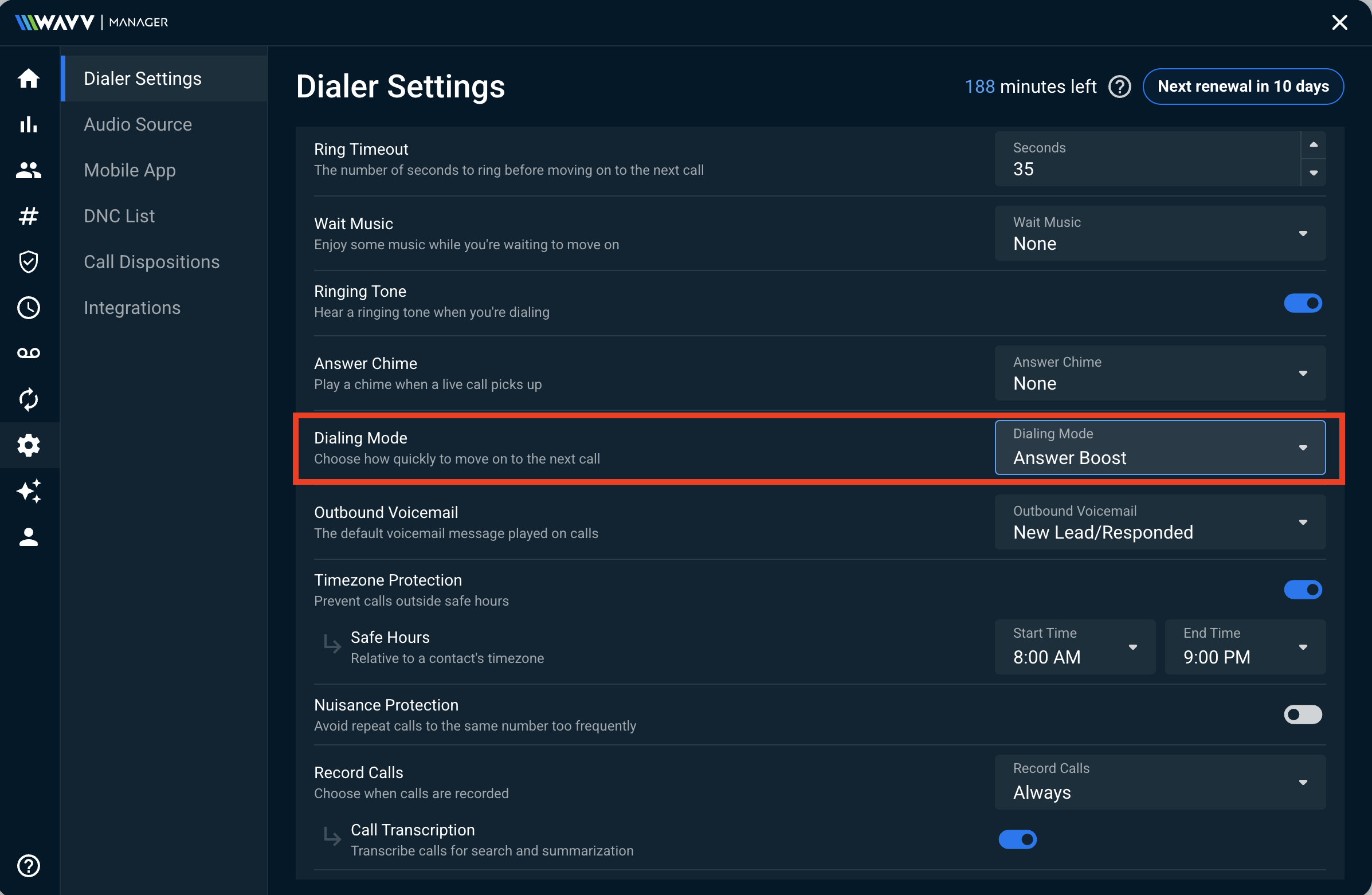
Open your WAVV Dialer Manager settings and find "Dialing Mode." Switch this to "Answer Boost."
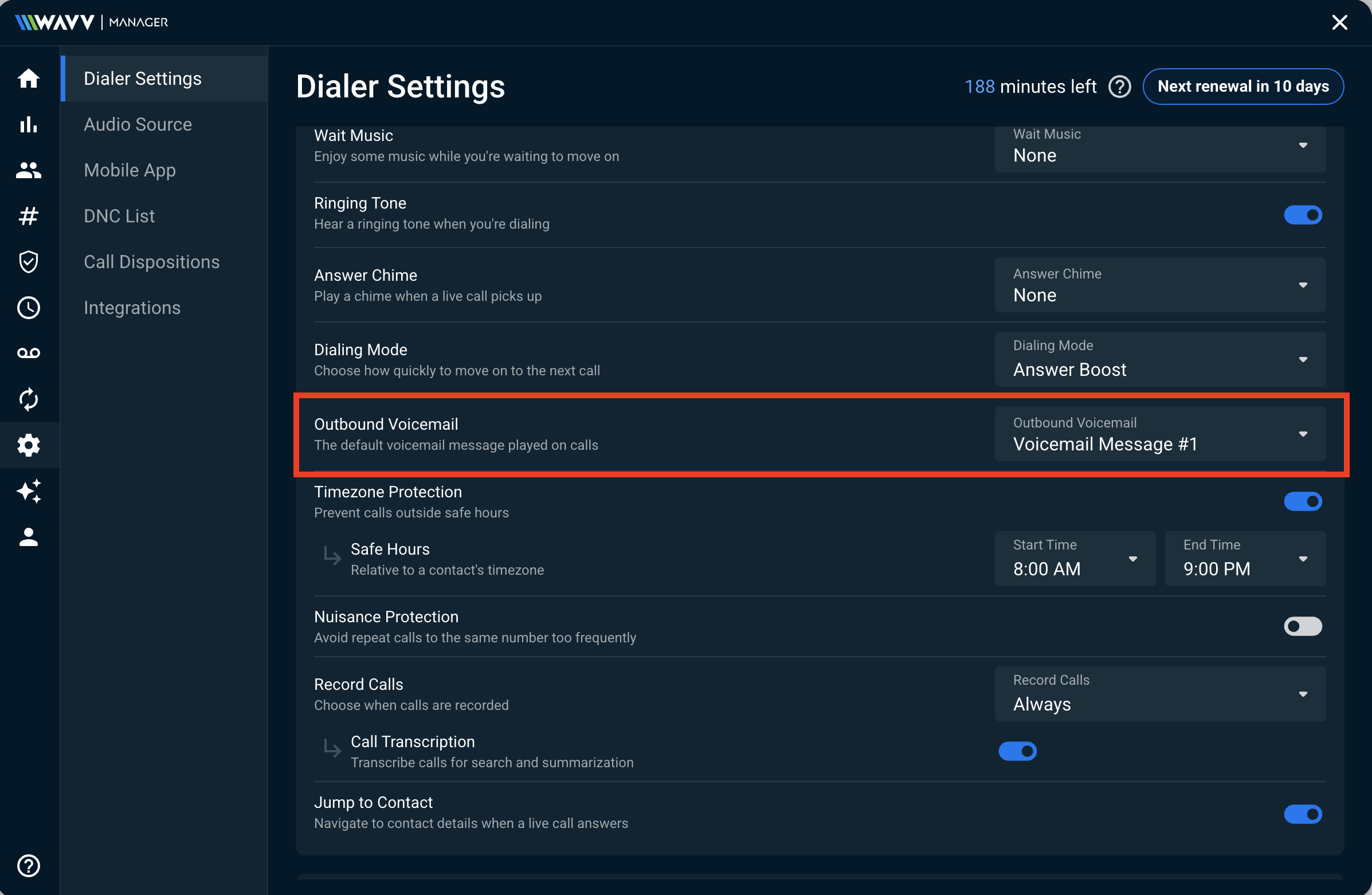
Set an outbound voicemail if you want WAVV to leave it for you.
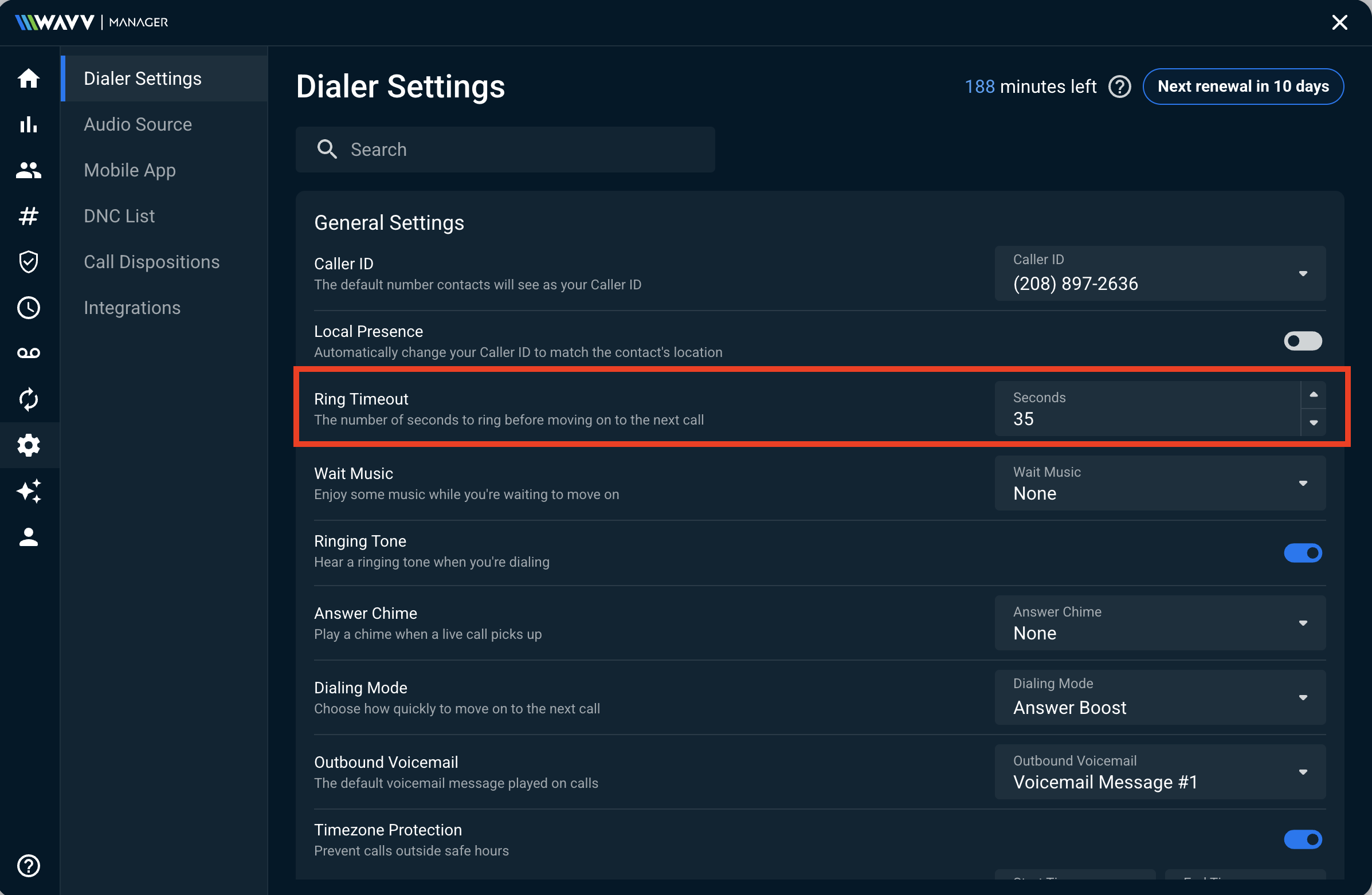
Make sure your "Ring Timeout" is set to at least 35 seconds. This will ensure you're ringing long enough to reach an answering machine so WAVV can leave the voicemail for you.
FAQ: Why is there a delay when I'm connected to a live call on Answer Boost?
You may notice that when using Answer Boost, and you're connected to a live call, there's a slight delay and the lead doesn't hear you after the first, "Hello?"
This is because the dialer has to detect if this is a live call or an answering machine. It's normal, but if you're not a huge fan, you're always welcome to switch to the "Advanced" or "Standard" Dialing Modes.
FAQ: Why was I still connected to an answering machine even though I have Answer Boost on?
Answer Boost is only looking for VM and live human answers, but it's not a 100% accurate AI programming. It might still connect you to an answering machine occasionally. Sometimes these aren't technically answering machines, but automated messages that say something like, "You have reached a VM inbox that is full." Feel free to use the Voicemail drop feature in these instances or just end the call.