
Prospecting sales teams often struggle to efficiently extract actionable insights from phone calls. This inefficiency often leads to missed sales opportunities and reduced productivity. The lack of automatic insights and structured follow-ups makes it difficult to capitalize on potential leads. WAVV’s call transcript AI summary allows users to quickly get a summary of a recorded call as well as a transcript of the recorded call in it’s entirety.
How does it work?
First in order to utilize this feature, you will first need to be recording calls. Call recording can be activated by going to WAVV Manager > Dialer Settings > Record Calls.
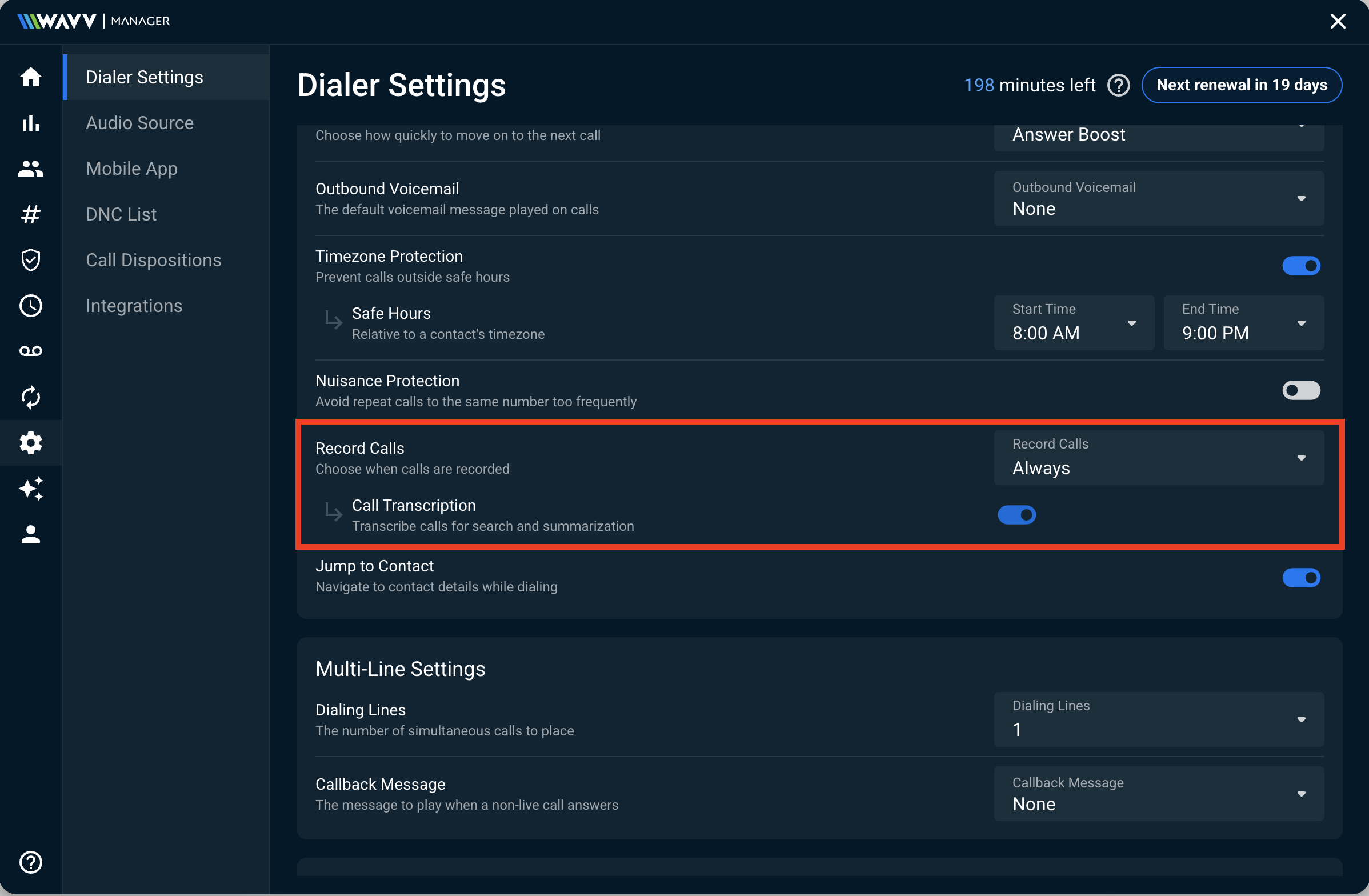
After you’ve set your calls to be recorded, then you can toggle the “Call Transcription" setting.
Now that these settings have been activated, when you have a recorded call, you can view the transcript and summary in the "History" tab. Any call that has a live recorded conversation will show the 3-lines icon in the far right of the call record:
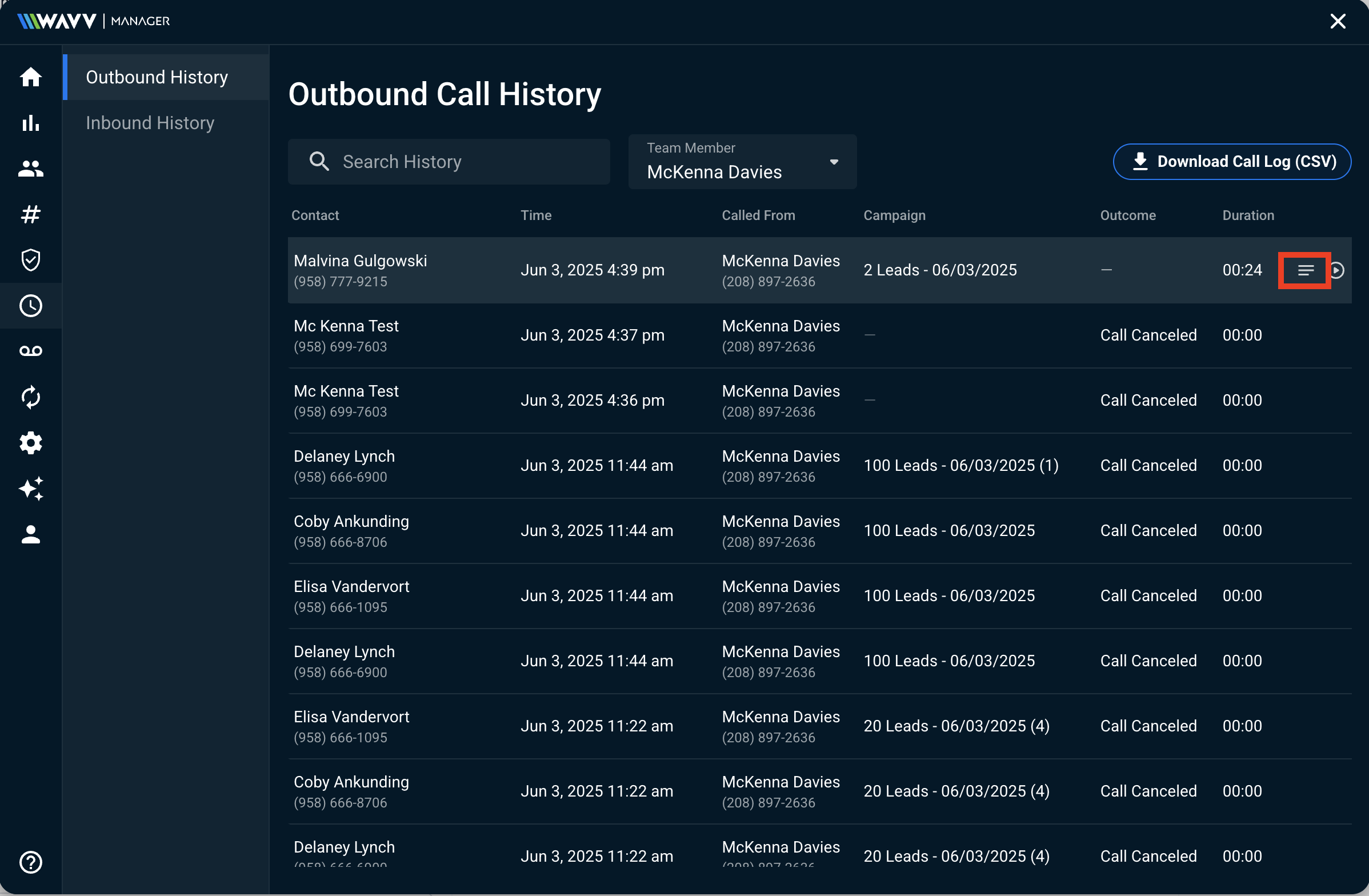
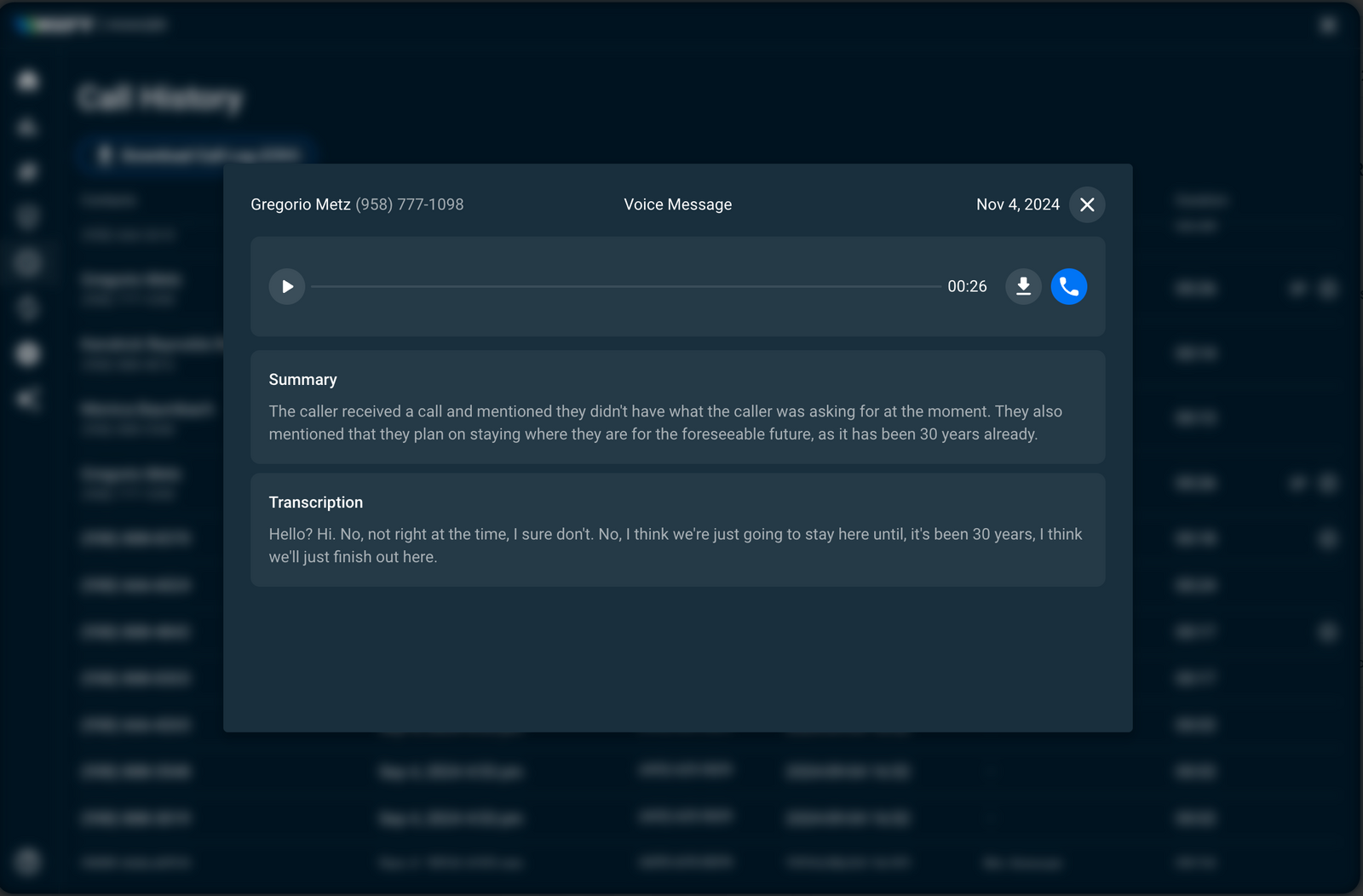
Clicking anywhere in the call record row will open up a modal detail view where you can view the summary, transcript and playback controls to listen to the recording.
Downloading Call History
When you download the call into a CSV, the call transcriptions will also be included.