
When you open your WAVV Dialer Manager and navigate to the settings, you may notice that you don't have ALL of the settings that you've seen in other team members' accounts.
Example:
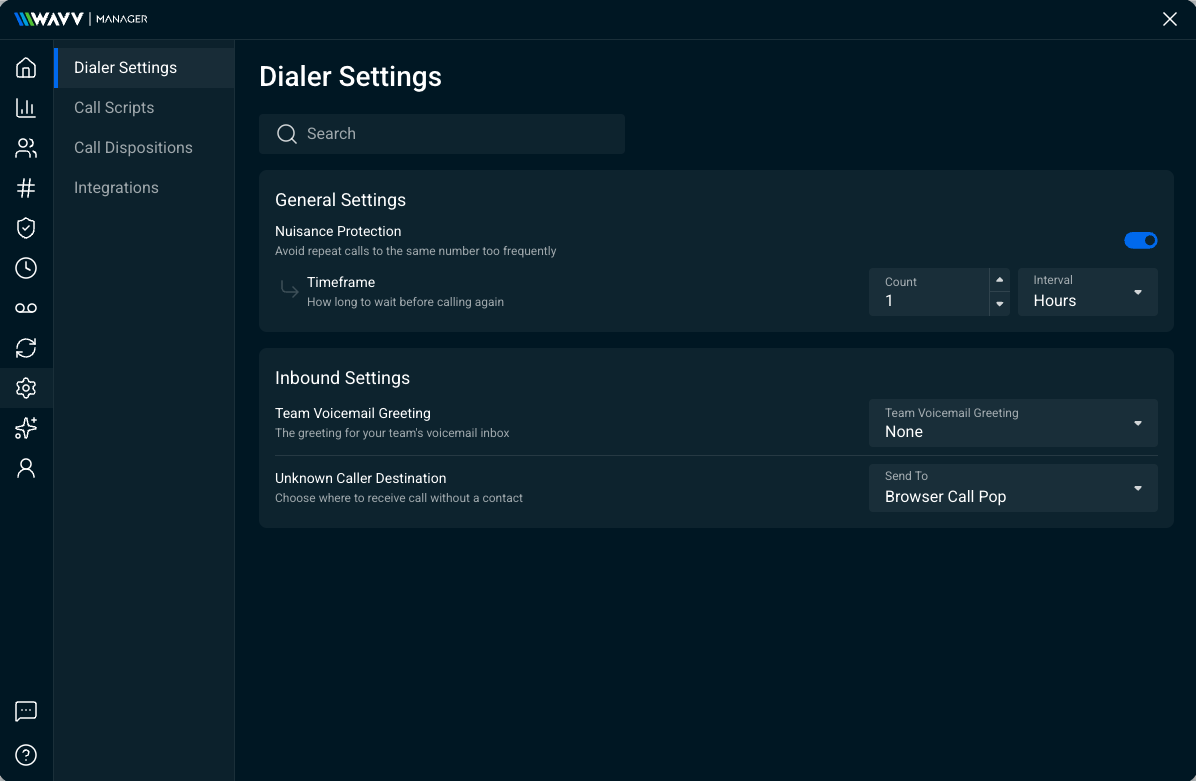
Versus -->
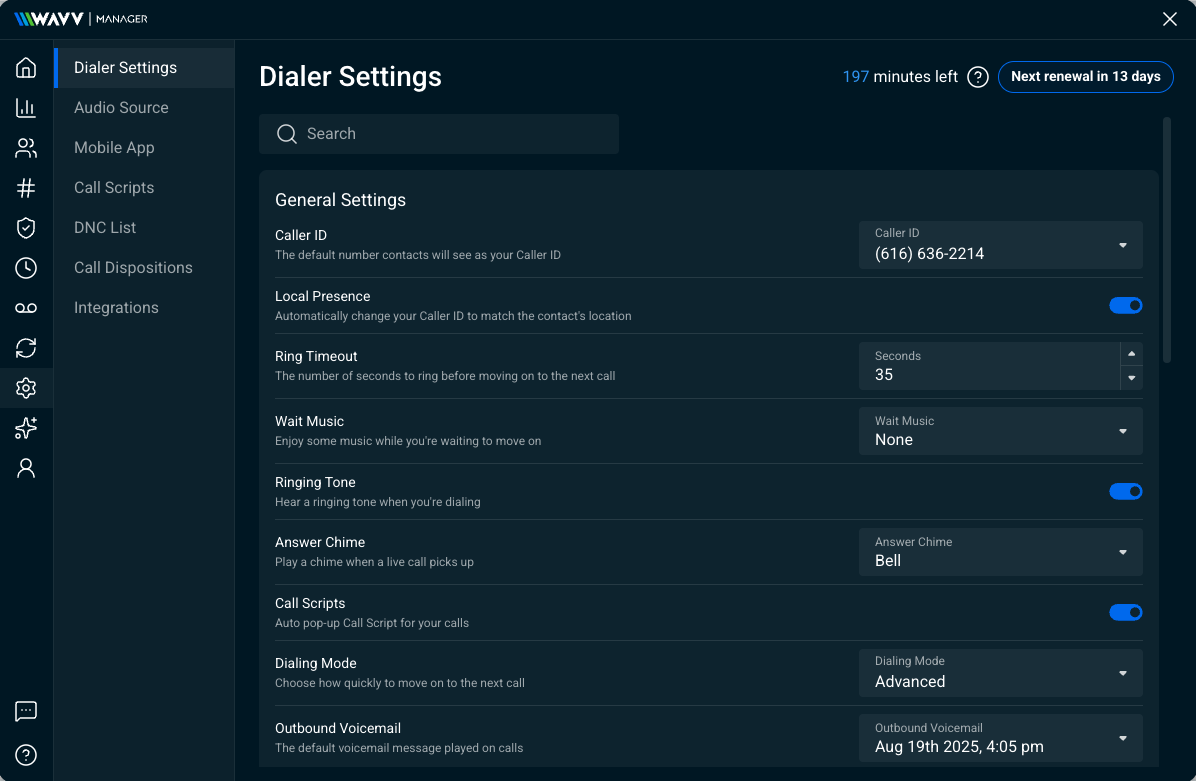
This is because in order to see the full dialer settings, you need a dialer seat.
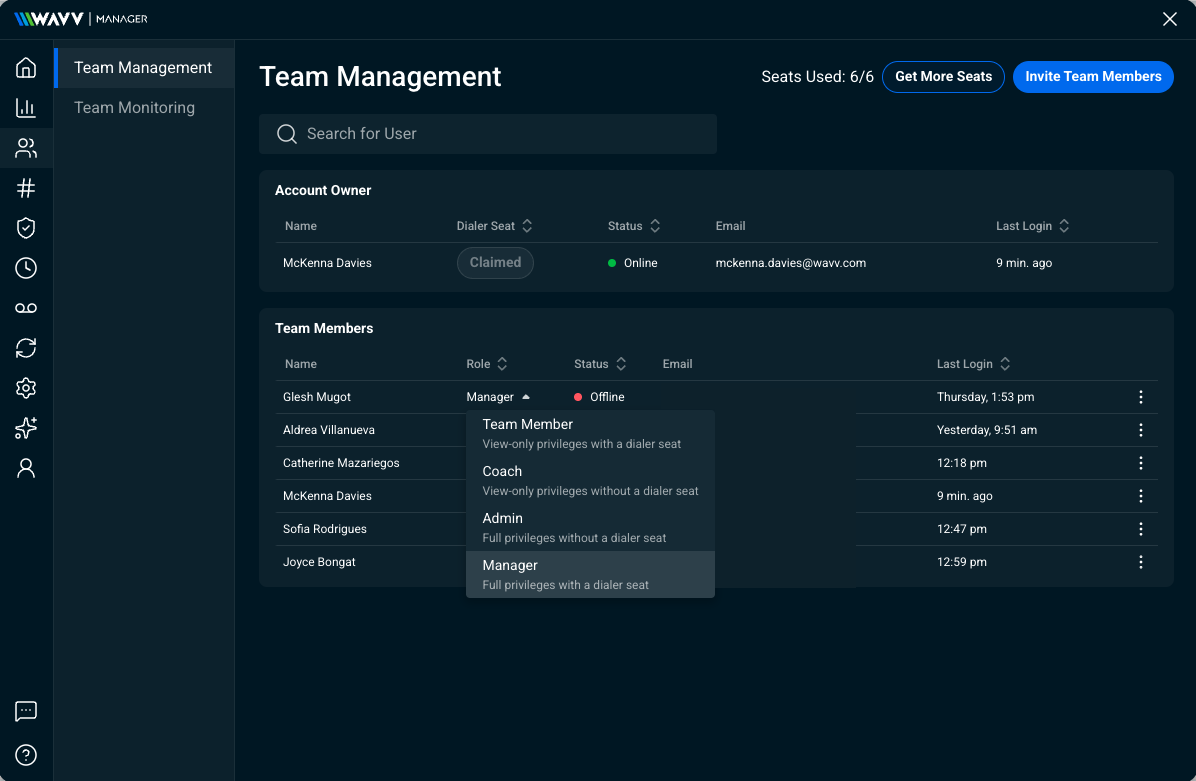
Not every team role uses a dialer seat. Or in other words, not every role makes calls. If you don't make calls, you won't need a dialer seat.
Team Roles
If I'm an Admin or Coach, I'll see team-specific settings (first picture above).
If I'm a Manager or a Team Member, I'll see all of the other dialer settings (second picture above).
You can change team members' roles in the Team Management tab:
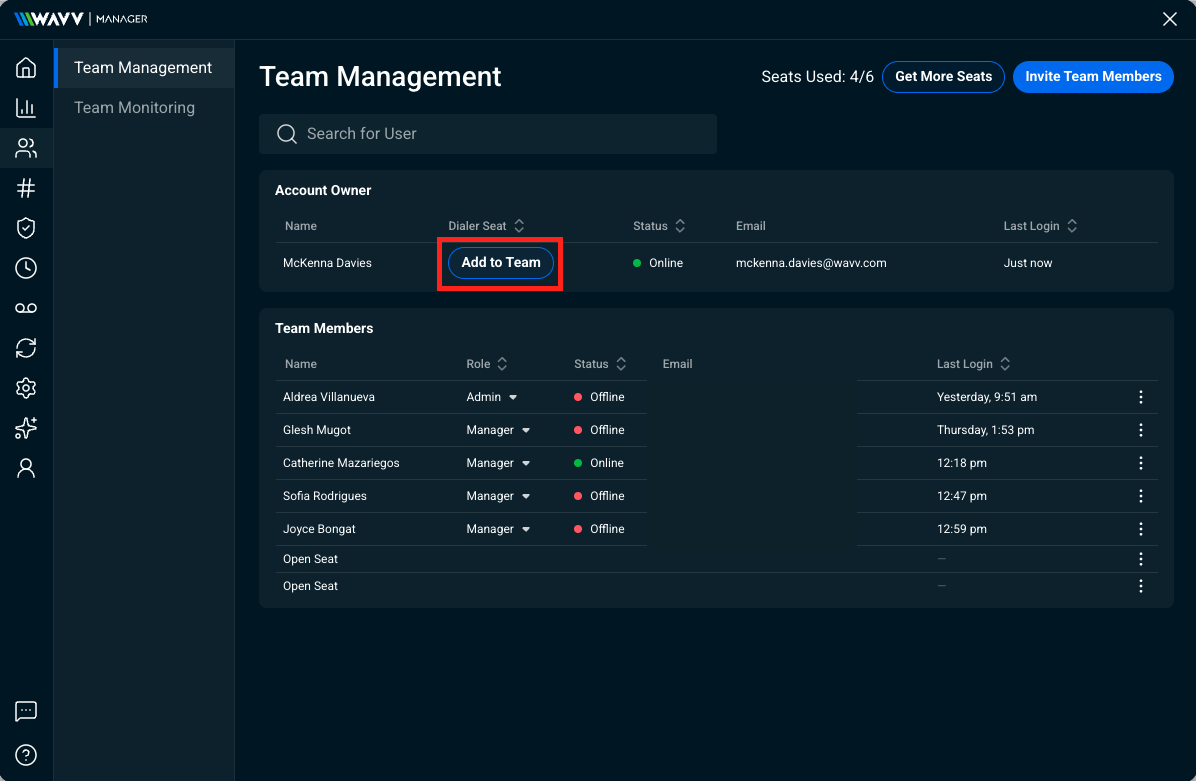
As the Account Owner, if you want to also make calls, simply click "Add to Team" next to your name:
For assistance or questions, feel free to reach out to WAVV Support! Just click the chat icon on the bottom right corner -->