Nuisance Protection is a setting that helps you avoid calling the same lead too often. You can set a "wait time" (like 1 day or 3 hours), and WAVV will skip that lead if it’s too soon to call again.
Enabling Nuisance Protection
This is a TEAM setting, so when enabled, if you're on a team, it will be enabled for everyone on the team.
Important: To enable Nuisance Protection, you must be an ACCOUNT OWNER, ADMIN, or MANAGER.
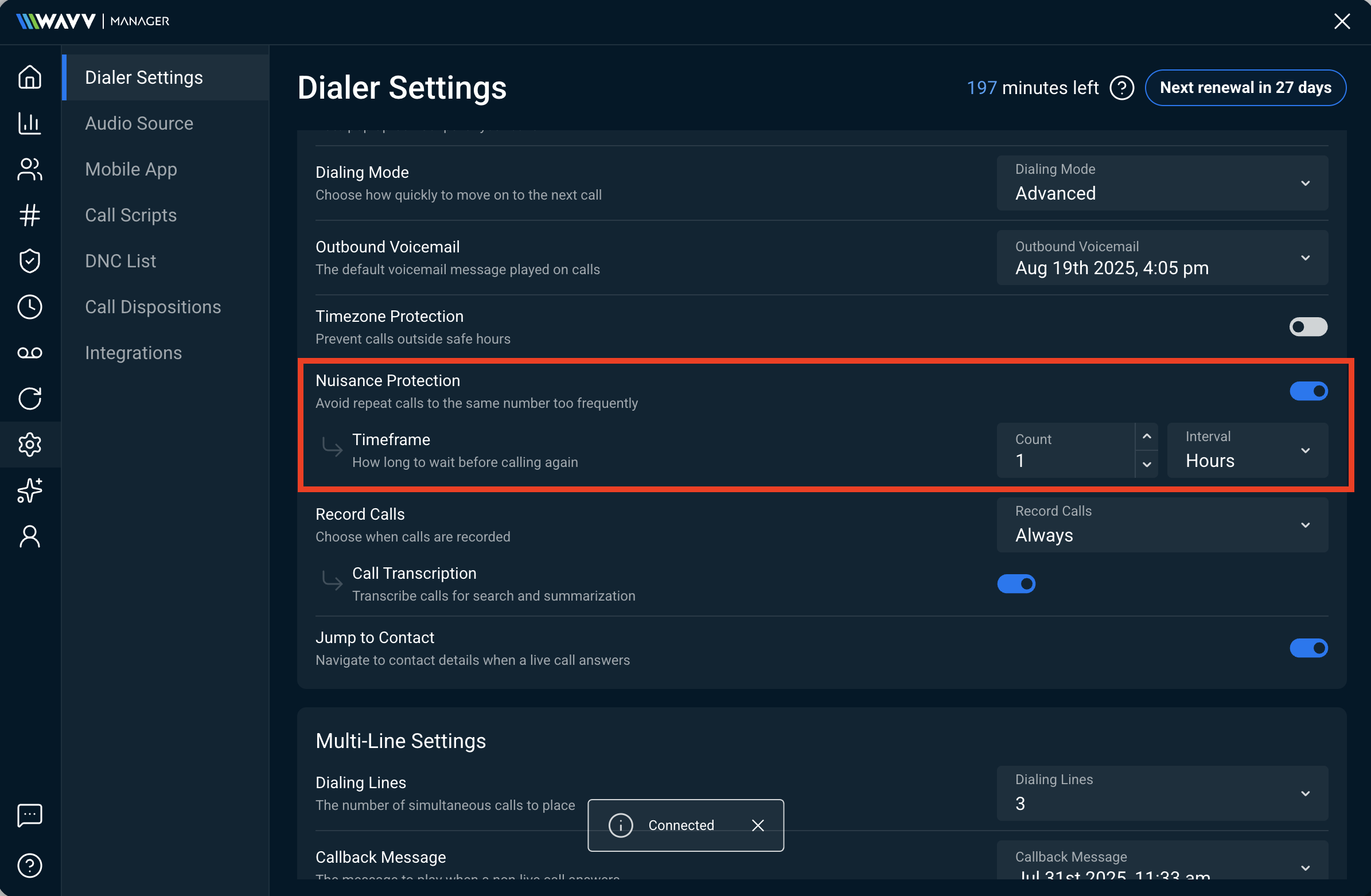
If you have a dialer seat, the setting will look like this:
If you don't have a dialer seat, the setting will look like this:
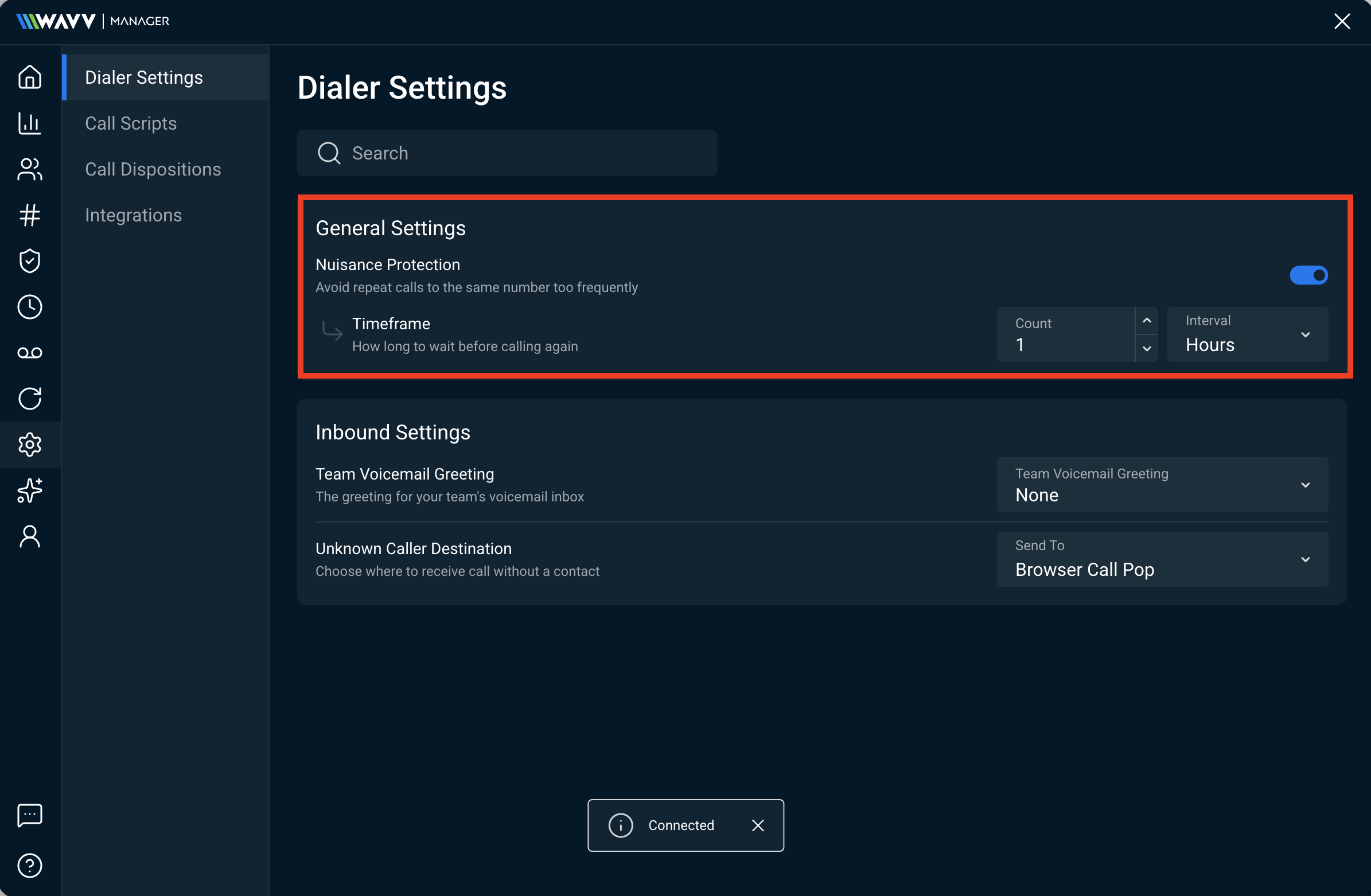
Once you turn on Nuisance Protection, specify the amount of time you want WAVV to wait before allowing you to call the lead again:

What happens if I try to call a lead within my Nuisance Protection timeframe?
If you try to call a lead(s) too soon, your dialer might say this:
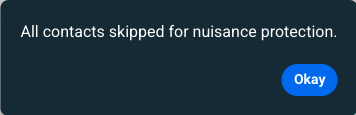
Or it will just skip over the contact and not include them in the call campaign.
What if I need to call a contact again but Nuisance Protection is skipping them?
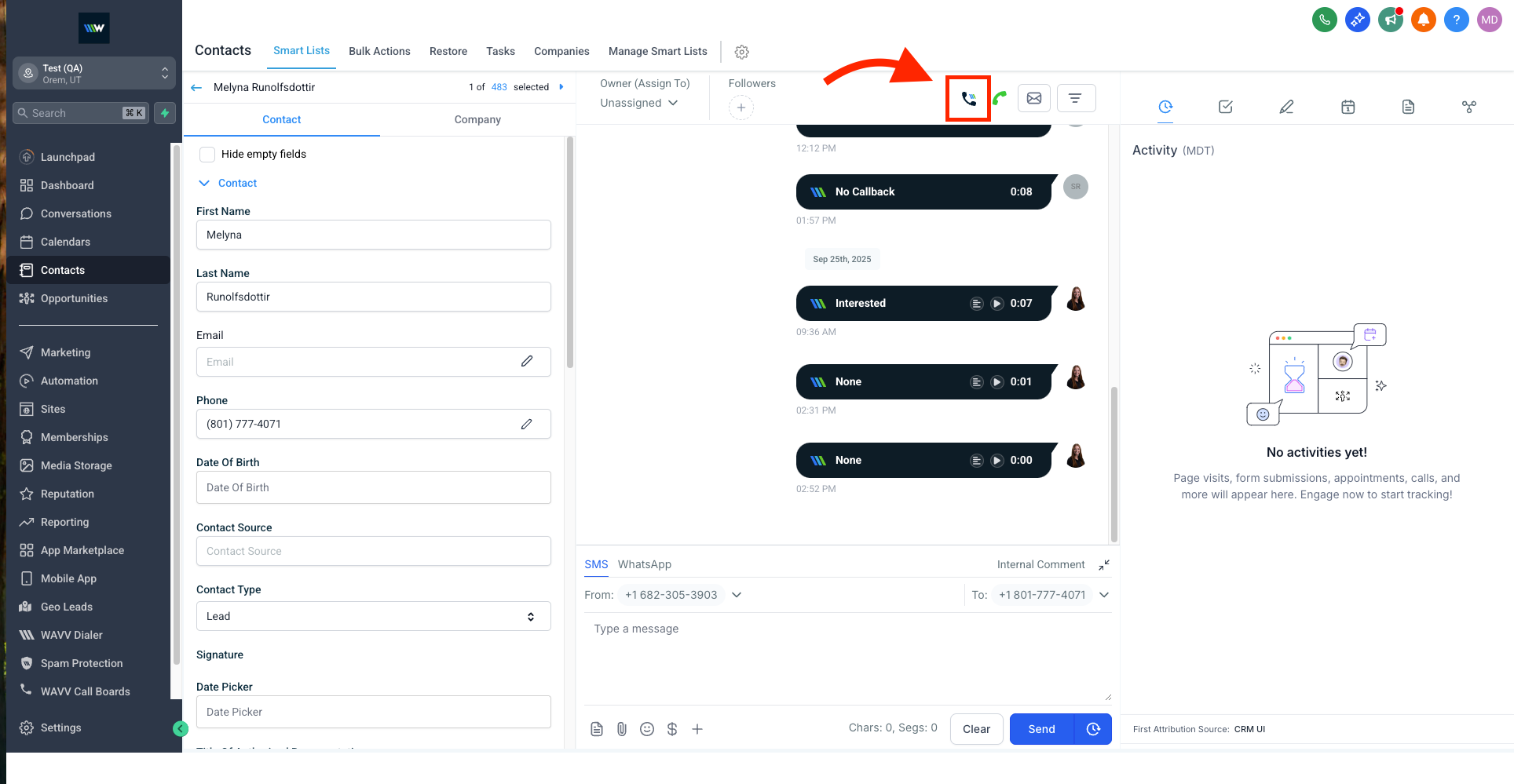
Aside from disabling Nuisance Protection in your settings, you can still manually call the lead by opening their contact profile and calling them from there. Here's what that looks like: