If you're experiencing issues with the WAVV Chrome extension, temporarily disabling it can help determine whether it's contributing to the problem. This article walks you through how to disable the Chrome extension. You can re-enable it at any time once you've finished troubleshooting or if you need to resume using the extension.
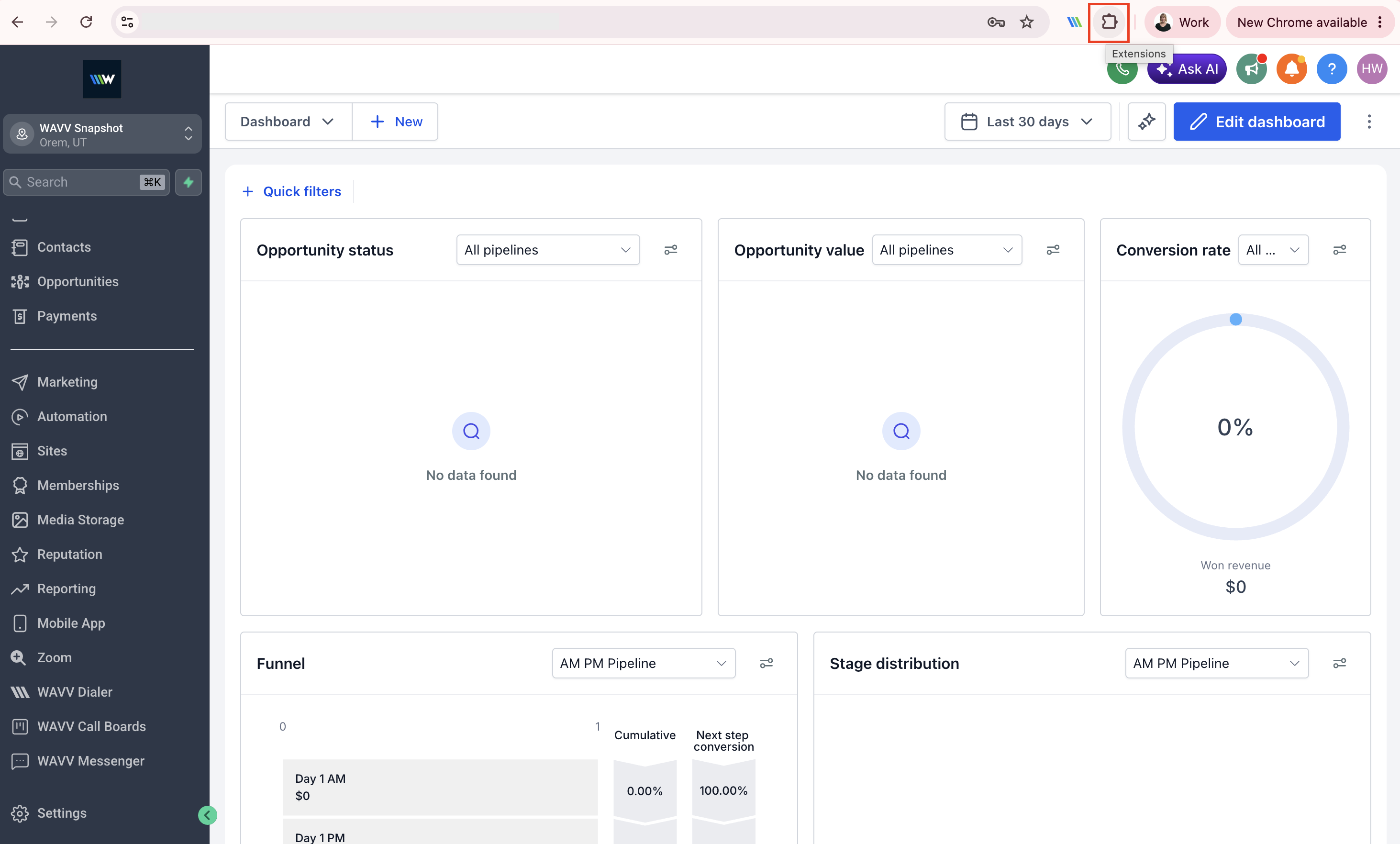
First, locate the Extensions (puzzle piece) icon next to the address bar in your Chrome window.
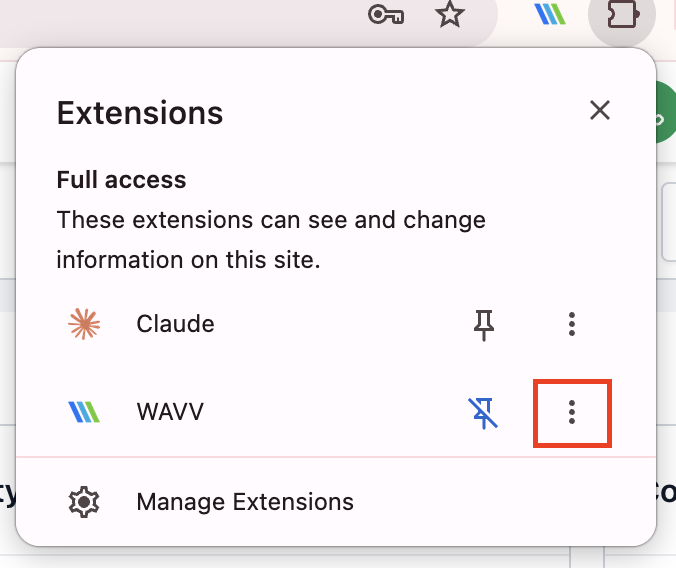
Click the three dots to the right of the WAVV extension.
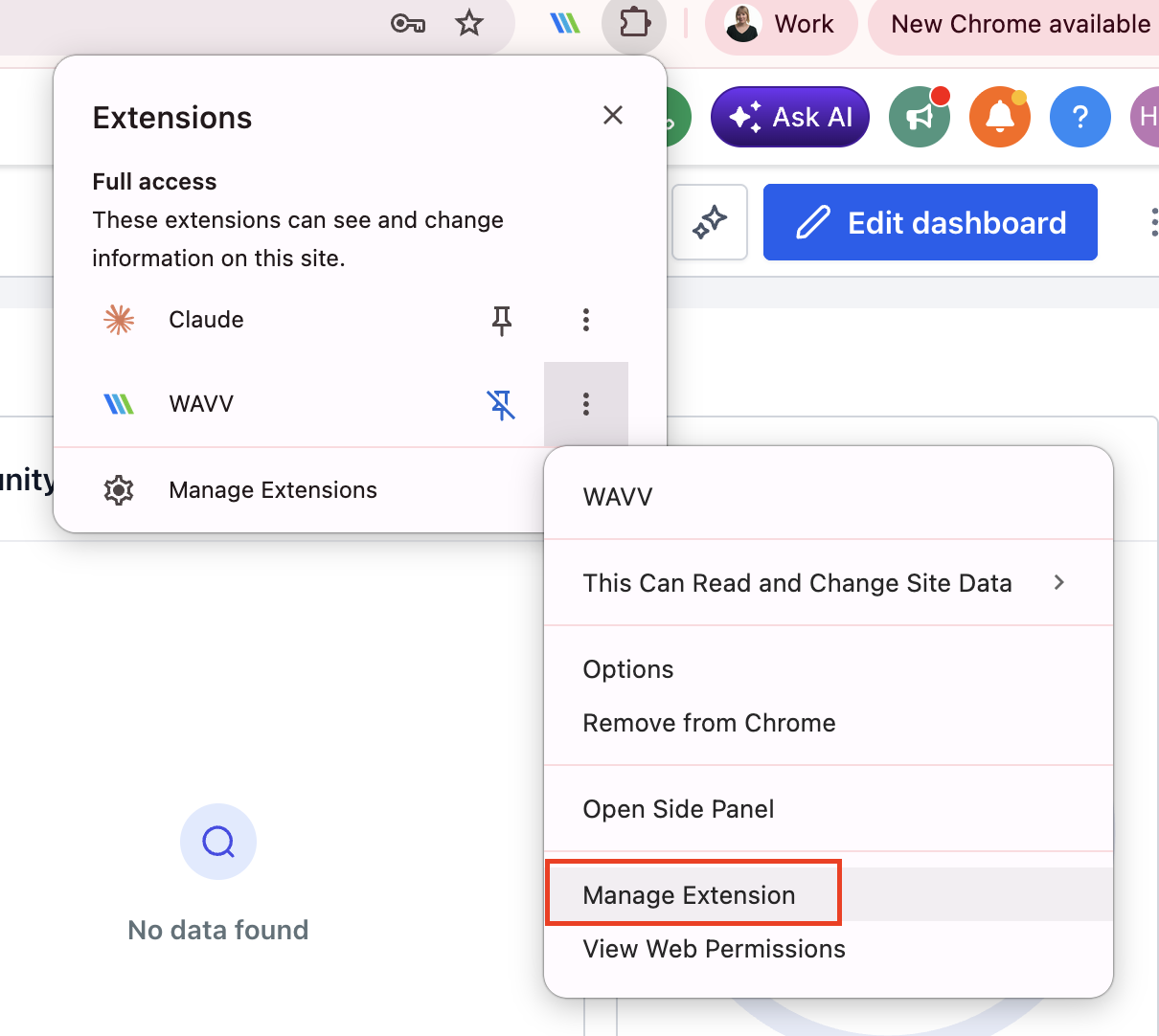
A menu will appear. Select Manage Extensions to open your Chrome extension settings.
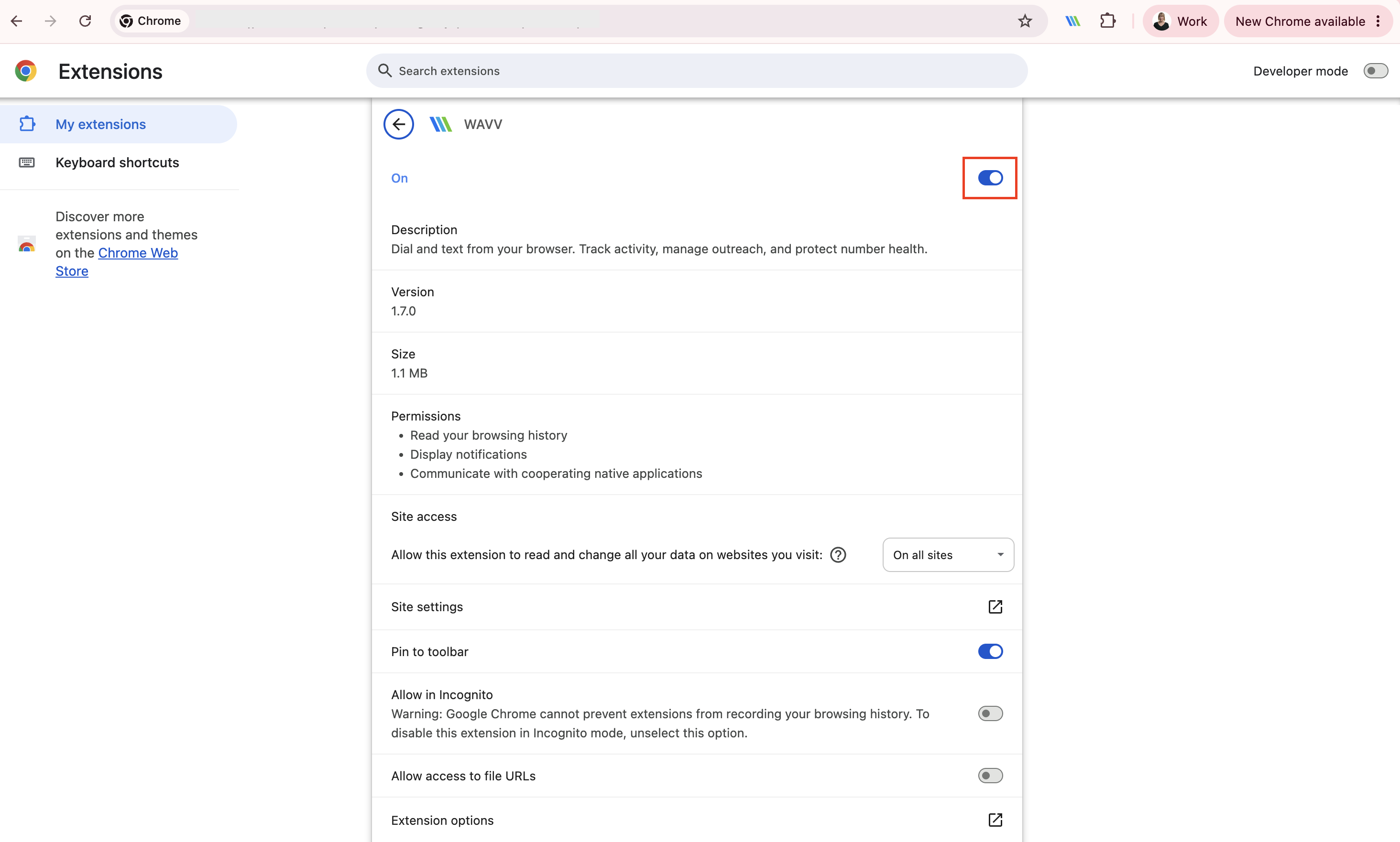
From here, you can toggle off the WAVV extension to disable it.