
Smart Rotation buys and rotates numbers for a group so your calls keep connecting. You can now choose how much it's allowed to spend each month. When a group hits its limit, calls don't stop. They go out from a fallback number you pick.
What's new
Monthly spending limit. Choose No limit or Set a monthly limit for each number group.
Where your calls go. A bar shows how many of your team's daily calls the limit covers, and how many would go out from the fallback number.
Fallback numbers. Pick a number for calls to use whenever no Smart Rotation number is available.
Spending alerts. Account owners get an in-app alert and a text at 80% and 100% of the limit.
Where to find it
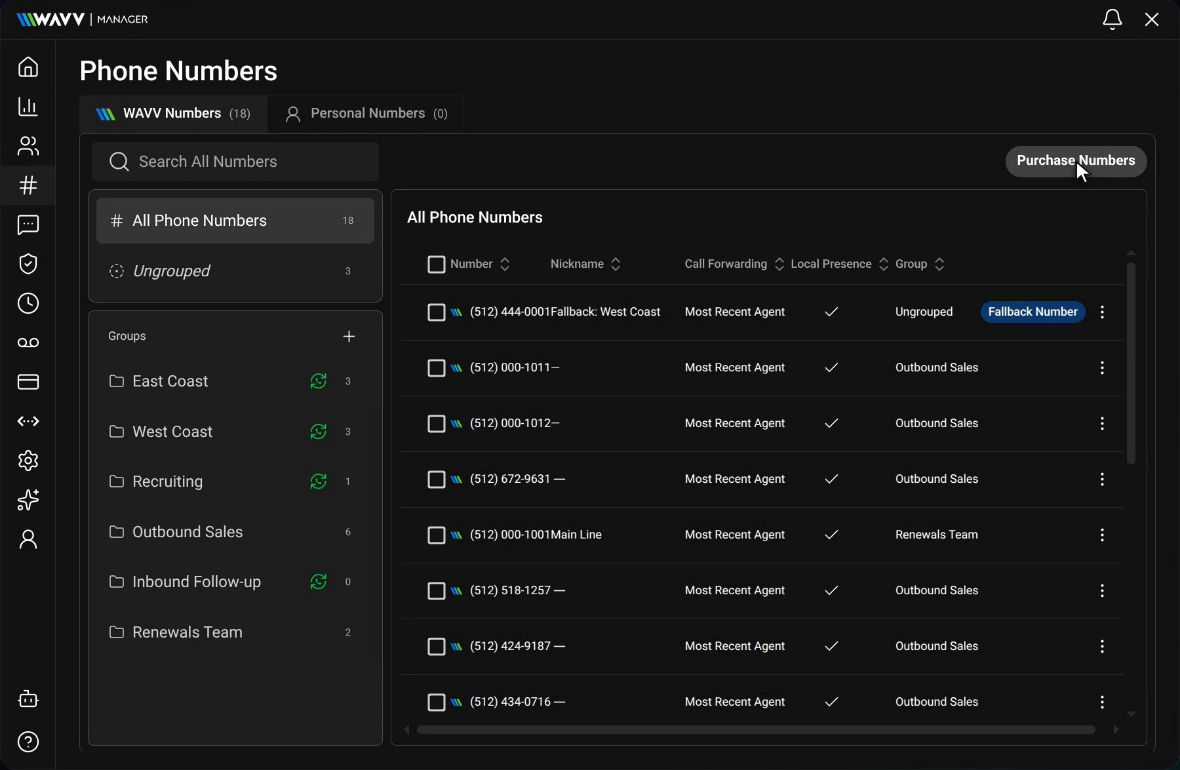
In WAVV Manager, open Phone Numbers (the # icon in the left menu).
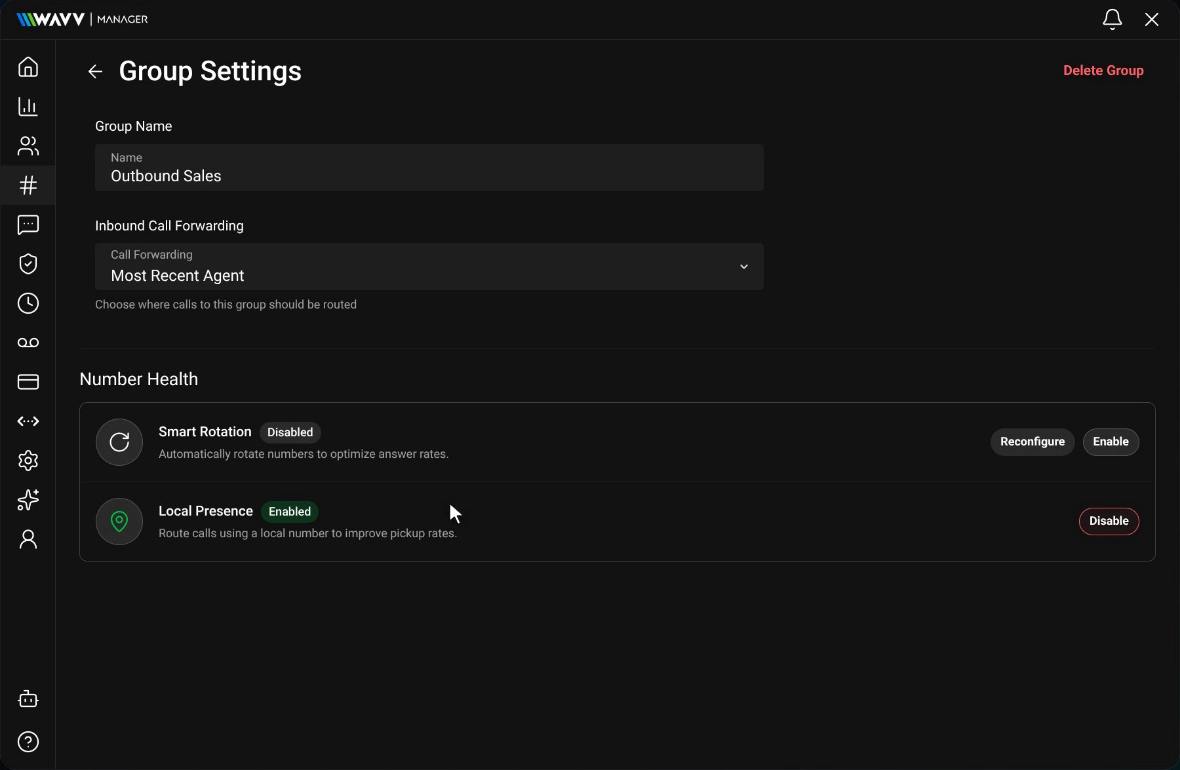
Under Groups, click the group you want to set up.
Under Number Health, find Smart Rotation and click Enable. If it's already set up, click Reconfigure.
Set a monthly spending limit
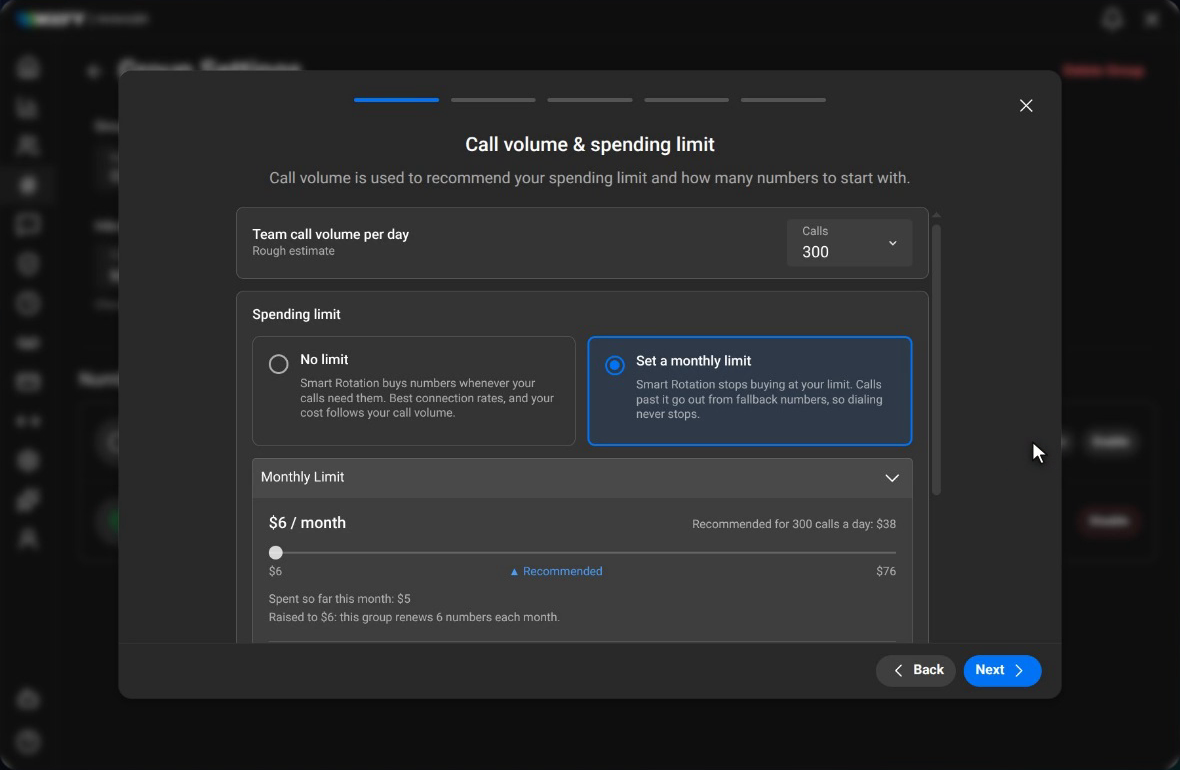
Enter your Team call volume per day. A rough estimate is fine. WAVV uses it to recommend a limit and how many numbers to start with.
Under Spending limit, choose one:
No limit: Smart Rotation buys numbers whenever your calls need them. You get the best connection rates, and your cost follows your call volume.
Set a monthly limit: Smart Rotation stops buying at your limit. Calls past it go out from your fallback number, so dialing never stops.
If you set a limit, use the slider under Monthly Limit to choose an amount. The Recommended marker shows the suggested limit for your call volume.
Reading the limit screen:
Spent so far this month shows what the group has already spent, including new numbers and renewals.
The lowest limit you can set covers one month of the group's renewals. For example, a group that renews 6 numbers each month can't go below $6.
Where your calls go shows how much of your daily volume the limit covers. Green is covered by Smart Rotation numbers. Orange is calls that would go out from the fallback number.
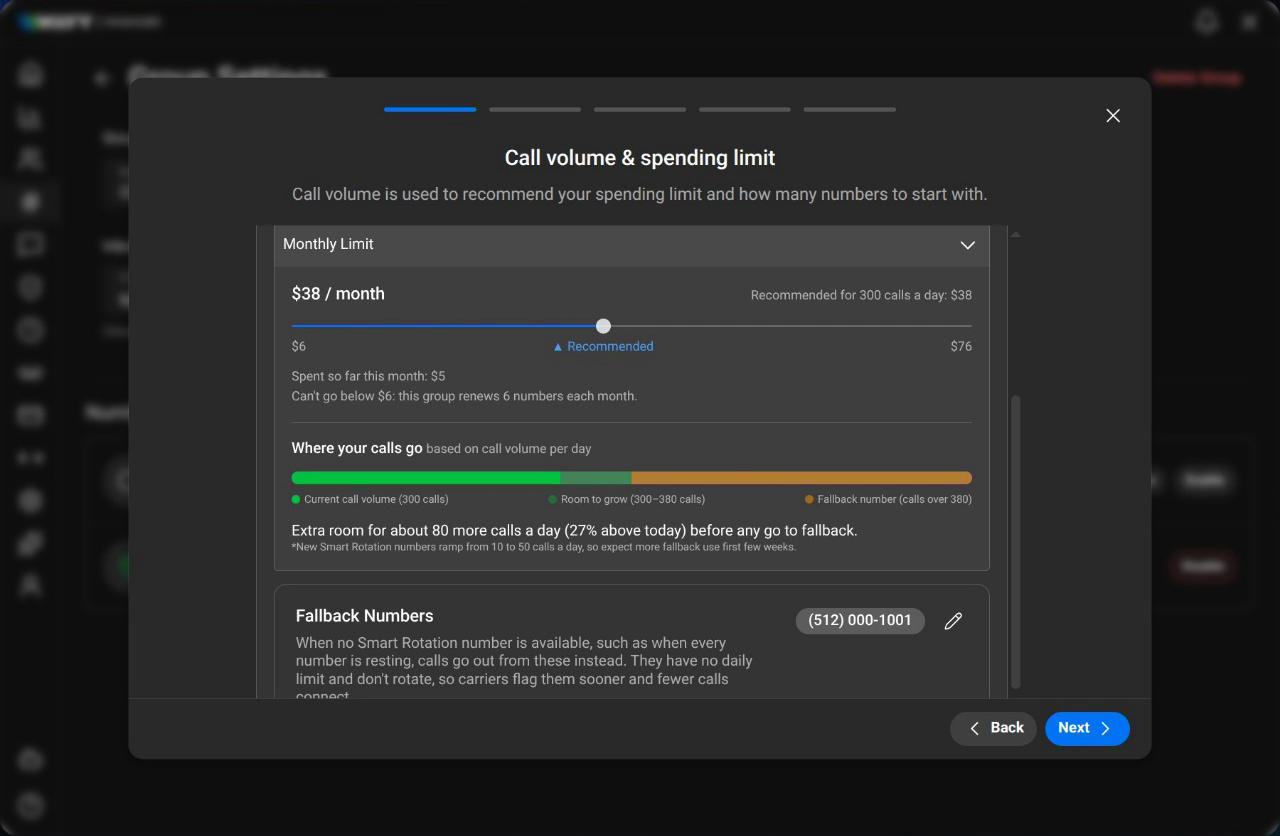
Good to know: New Smart Rotation numbers ramp up from about 10 to 50 calls a day, so expect more calls to use the fallback number in the first few weeks.
Choose a fallback number
A fallback number is used whenever no Smart Rotation number is available, such as when every number is resting. Fallback numbers have no daily limit and don't rotate, so carriers flag them sooner and fewer calls connect. They're a safety net, not a replacement.
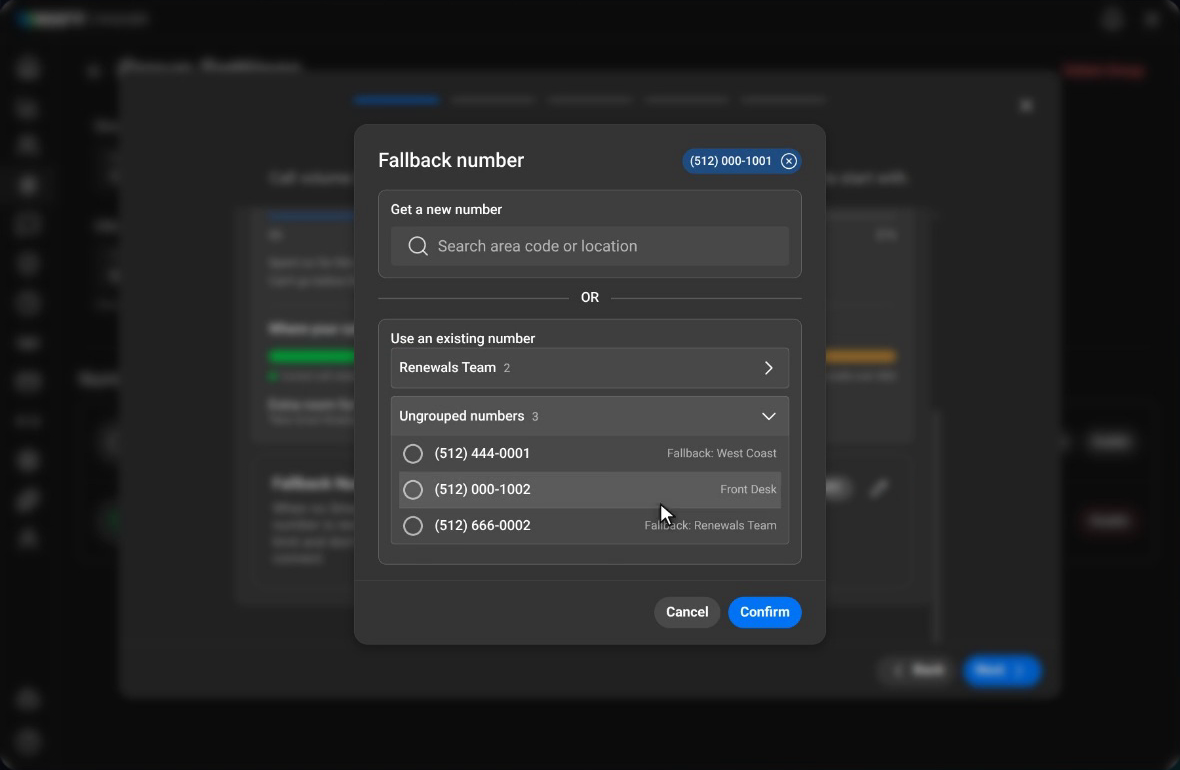
Next to Fallback Numbers, click the pencil icon.
Pick one:
Get a new number: search by area code or location. A new fallback number is named "Fallback: [group name]" and is charged when you pick it.
Use an existing number: choose one from another group or from your ungrouped numbers.
Click Confirm.
Review and confirm
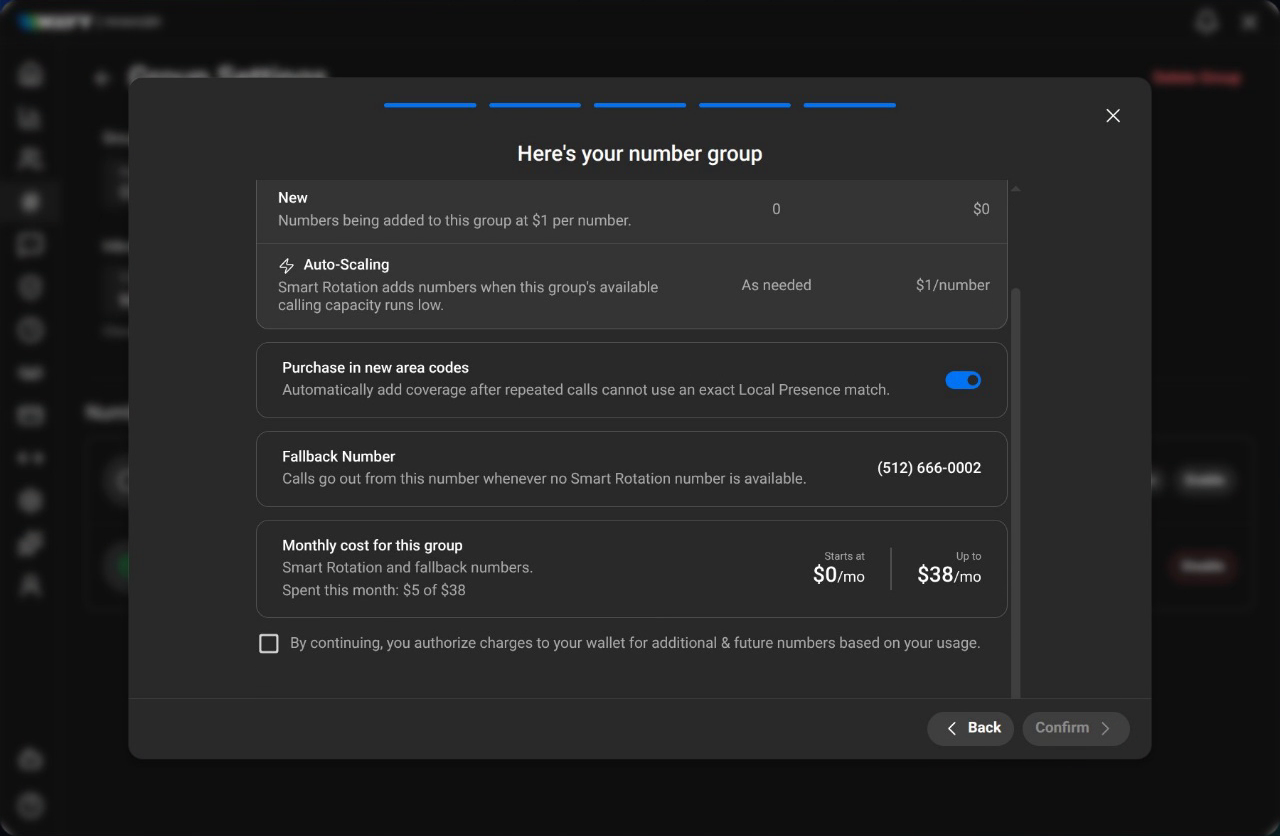
The last step shows a summary of your number group: new numbers, auto-scaling, your fallback number, and the Monthly cost for this group, including what you've spent this month against your new limit.
Check the summary.
Check the box to authorize charges to your wallet for additional and future numbers based on your usage.
Click Confirm.
Fallback numbers in your numbers list
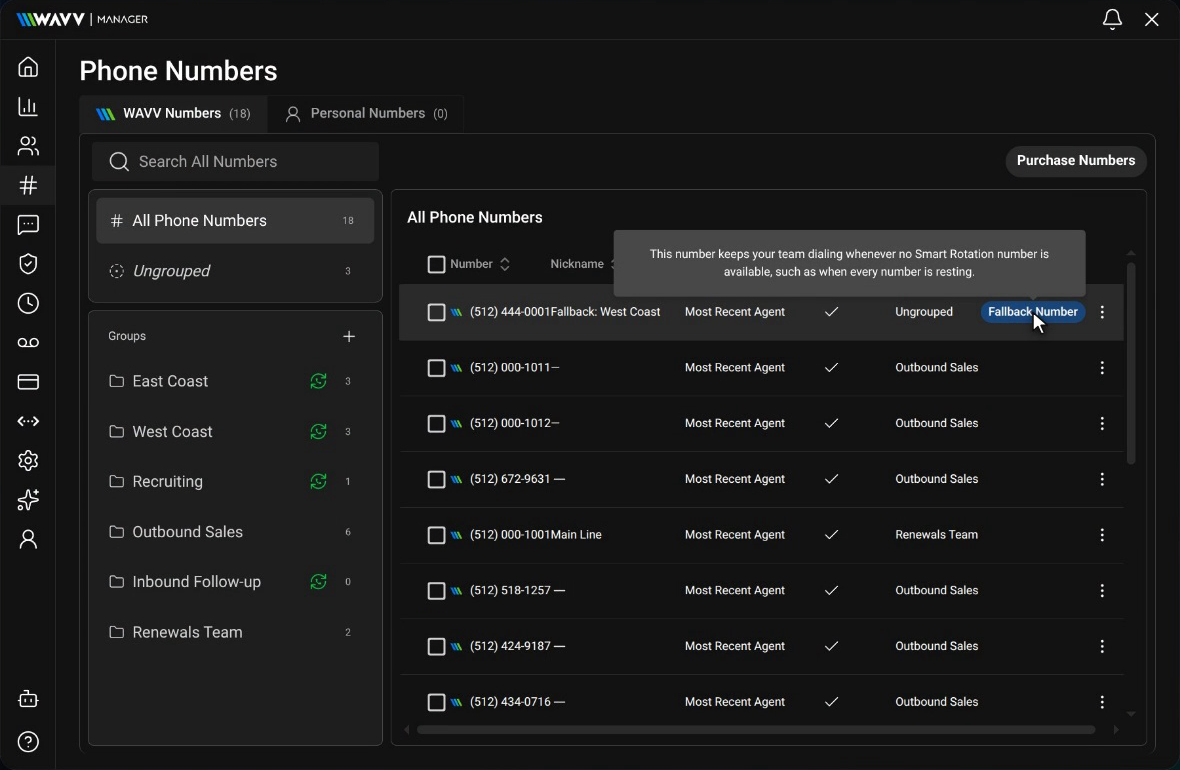
Fallback numbers are tagged Fallback Number on the Phone Numbers page. The spending limit doesn't apply to them.
Important: To delete a fallback number or move it into a Smart Rotation group, choose a different fallback for that group first.
Spending alerts
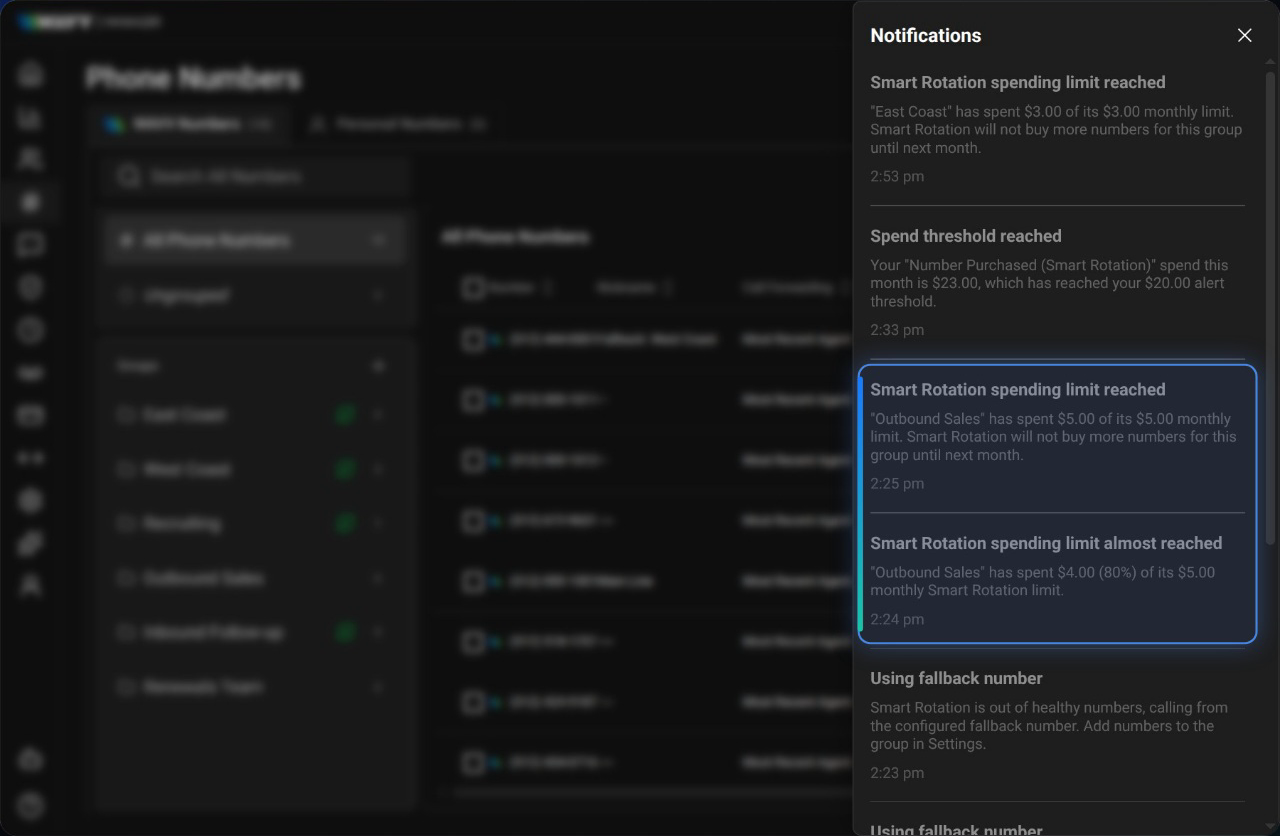
Account owners get an in-app notification and a text message when a group reaches:
80% of its limit: "Smart Rotation spending limit almost reached."
100% of its limit: "Smart Rotation spending limit reached." Smart Rotation won't buy more numbers for that group until next month.
Agents see a Using fallback number notification when calls go out from the fallback number.
Still stuck?
Reach out through chat at help.wavv.com or contact your WAVV Success manager.
Frequently asked questions
When does the spending limit reset?
Limits reset on the 1st of each month at midnight UTC. In US time zones, that's the evening before.
Do renewals count toward the limit?
Yes, but renewals are never blocked. That's why the lowest limit you can set is one month of the group's renewals.
I finished setup and it says no numbers were purchased. Why?
The group has already reached its limit for this month. Smart Rotation will start buying again when the limit resets, or you can raise the limit.
Does the fallback number count toward the limit?
No. A new fallback number is charged when you pick it and renews like any other number. The limit doesn't cover it.
Will my team stop dialing when the limit is reached?
No. Calls go out from your fallback number, so dialing never stops. Connection rates may drop, since fallback numbers don't rotate.
Why can't I delete my fallback number?
It's set as a group's fallback. Choose a different fallback number for that group first, then you can delete the old one or move it into Smart Rotation.