Overview
Here at WAVV, we understand the critical role outbound calls play in your business. To help maintain the credibility of these calls, we provide Spam Protection as a way to remediate your numbers when flagged. We register the phone numbers with
major US carriers (AT&T, Verizon, T-Mobile) so numbers are less likely to show up as spam or be blocked. When a flag comes up from the major US phone carriers, we remove the flag for you.
Additionally, Spam Protection applies specifically to outbound calls made through the WAVV platform, ensuring that your business numbers are protected and verified by carriers.
How Does Spam Protection Work?
You will claim/purchase a number from WAVV (or add an existing number that you own) to your Numbers tab.
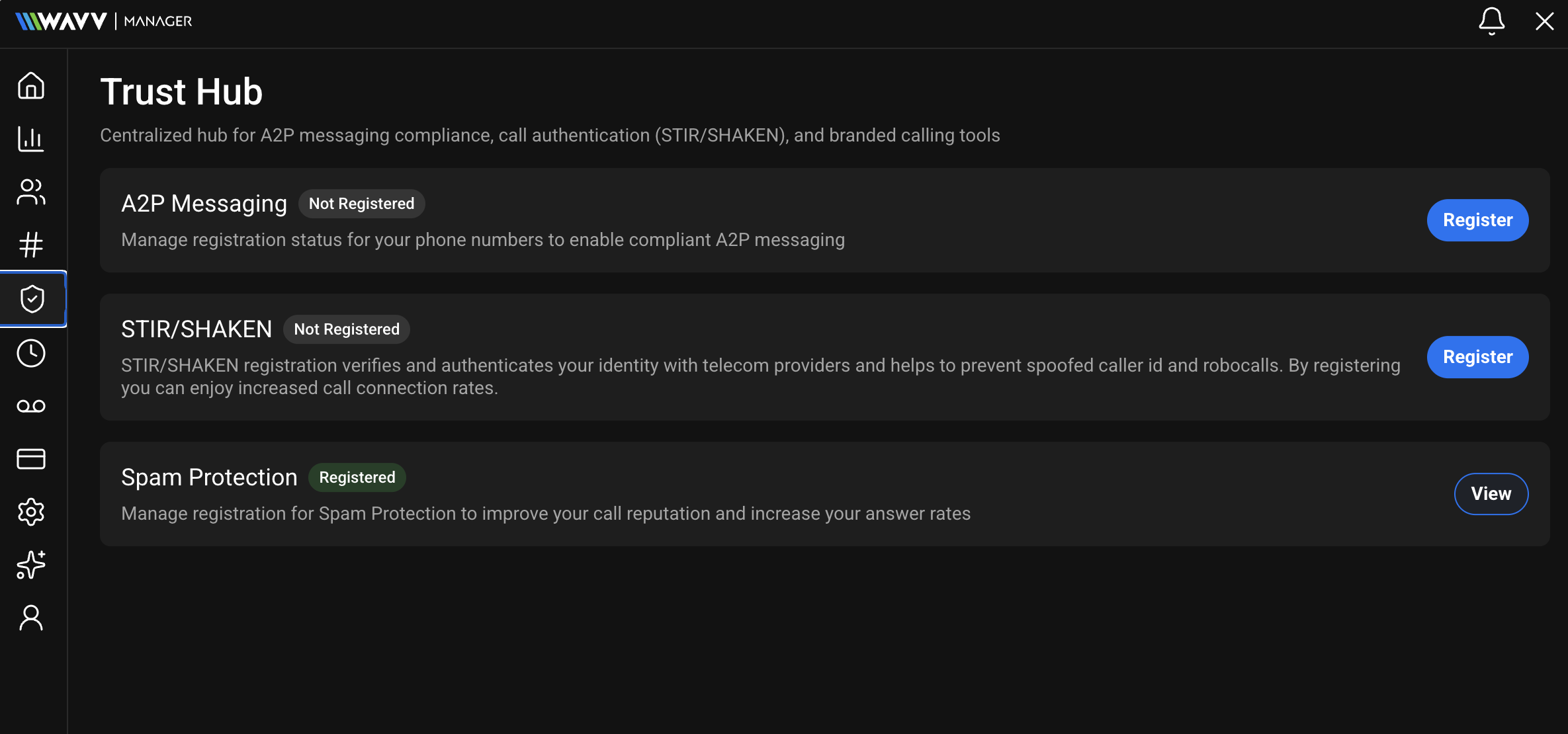
Head over to your Trust Hub and fill out the Spam Protection registration form.
We will register all of your number(s) on your behalf using your business information.
For optimal results, always use the WAVV dialer for outbound calls. This ensures your calls benefit from carrier registrations and are more likely to receive A-level attestation, which helps carriers verify your calls as legitimate.
Requirements
Must be US-based
Needs an SSN or EIN (tax ID)
Sole proprietors are supported (with SSN)
Walkthrough
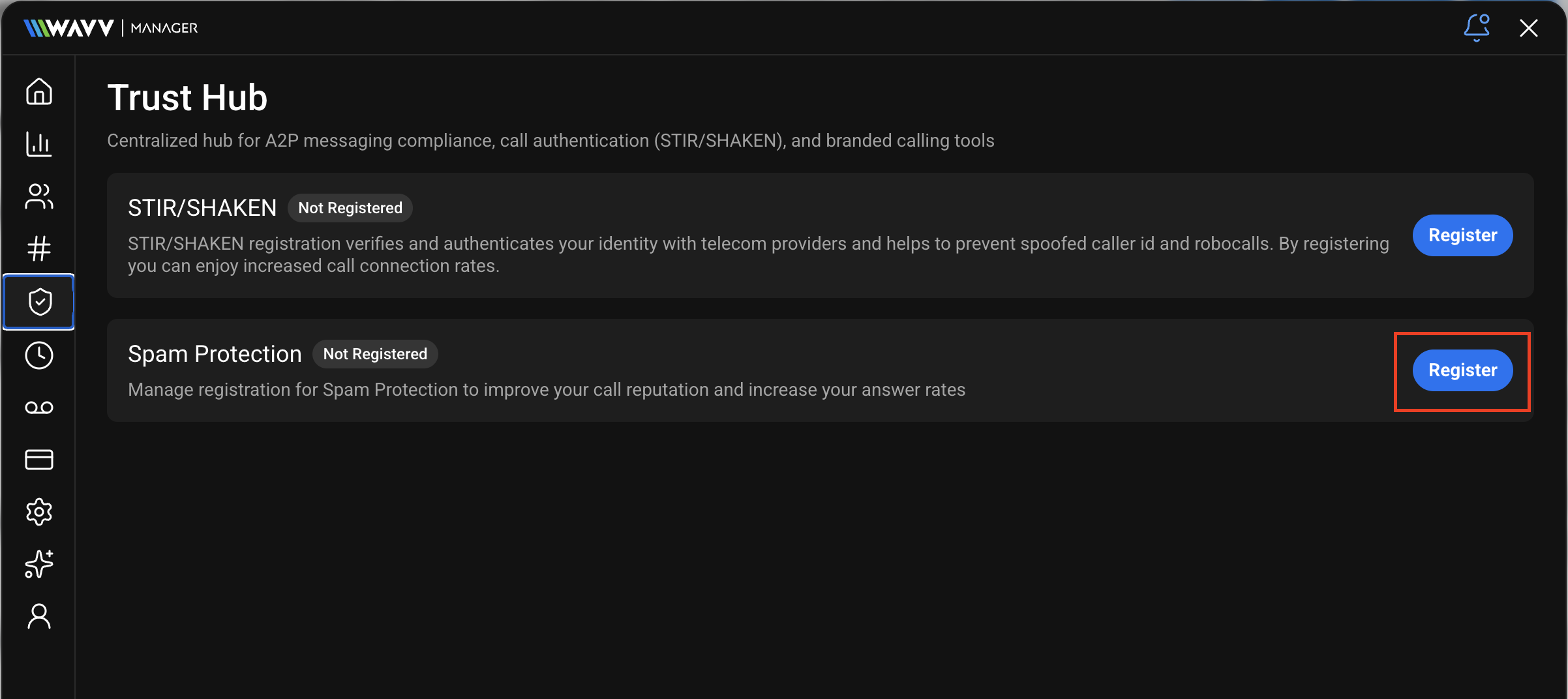
Navigate to your Trust Hub and select the "Register" option.
Enter your business information. The more accurate you can be, the faster your registration will go through.
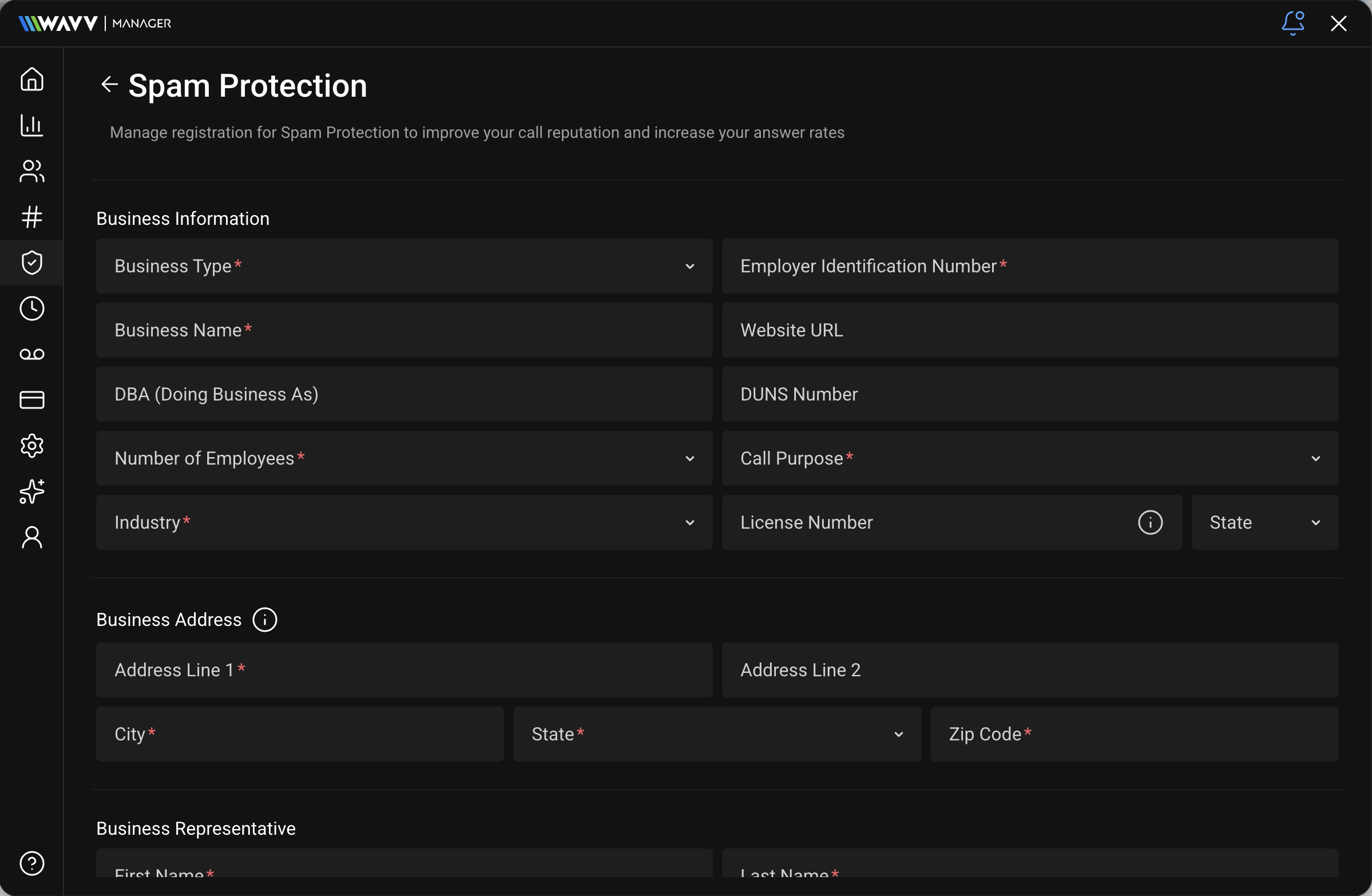
It will take about 1-5 days for the Spam Protection Registration to go through, but even faster if you're super accurate on your submission! If you don't provide accurate business information or are missing an EIN, it could go into manual review which can take longer than 5 days. During the waiting period, don't let that stop you from making calls!
Spam Flag Remediation
It's important to note that having Spam Protection doesn't mean your number will never show up as "spam." There are many different things that go into being labeled as spam: how many calls that you make on a given number, the type of leads that you call, if your number is registered, if someone you call reports you, etc. Having healthy numbers is similar to having a healthy credit score -- it is something you build over time.
If at any time the carriers indicate that there is a spam flag present on your number we will begin the remediation process to have that flag removed. WAVV has no control over how long remediation takes, as it all depends on the carriers.
To help with the remediation process, review your dialing patterns, volume, and lead quality. Aim to keep call volumes at approximately 100 calls per number per day to maintain the health of your numbers and reduce the likelihood of triggering spam detection systems. You can monitor the health of your phone numbers in the Reports tab under Number Health. Reviewing this report regularly can help you identify spam flags and avoid overusing a single number, supporting healthier outbound calling.
Additionally, if a number has been flagged as spam, consider removing it from Local Presence to allow it to cool down for a few days. This prevents the flagged number from being selected by the dialer during power dialing and reduces the risk of further spam labeling.
Managing Your Phone Number Pool and Call Volume
Formula for Calculating Required Phone Numbers
Use the following formula to determine how many phone numbers you need for your team: (Number of agents × Calls per agent per day) ÷ 100 = Recommended count of phone numbers
Example:
If you have 4 agents making 250 calls per day each:
Total calls per day = 4 × 250 = 1,000
Recommended phone numbers = 1,000 ÷ 100 = 10 This ensures that each number stays within the optimal call volume range.
Monitoring and Adjusting Number Usage
Regularly monitor the usage of your phone numbers to ensure they stay within the recommended call volume. Here are some tips:
Use reporting tools to review the number of calls made per phone number.
If a number consistently exceeds 100 calls per day, add another number with the same area code or state. This allows your dialer to alternate between numbers, distributing the call load evenly.
Rest numbers with poor performance to help them recover and regain their reputation.
Additional Tips for Maintaining Number Health
Enable Local Presence: Use numbers with area codes that match your target audience to improve connection rates.
Warm New Numbers: Gradually increase call volumes on new numbers to build their reputation.
Monitor Flag Rates: Keep an eye on spam flag rates and take corrective actions as needed.
Improve Connection Rates: Focus on strategies to increase the percentage of successful connections week over week.
Updating Registration Info
After registration has completed, you may change your submission by going to the Trust Hub, selecting "View" under Spam Protection and then updating the information on the form. This is useful if you've changed your business information, if your submission was rejected, or you want to update anything you previously selected.