
How do dispositions work?
Dispositions help you keep track of your contacts by tagging the contact after a call based on the outcome. Dispositions take place for answered calls and non-answered calls. Dispositions are set by agency owners and may appear differently or not at all based on the agency settings.
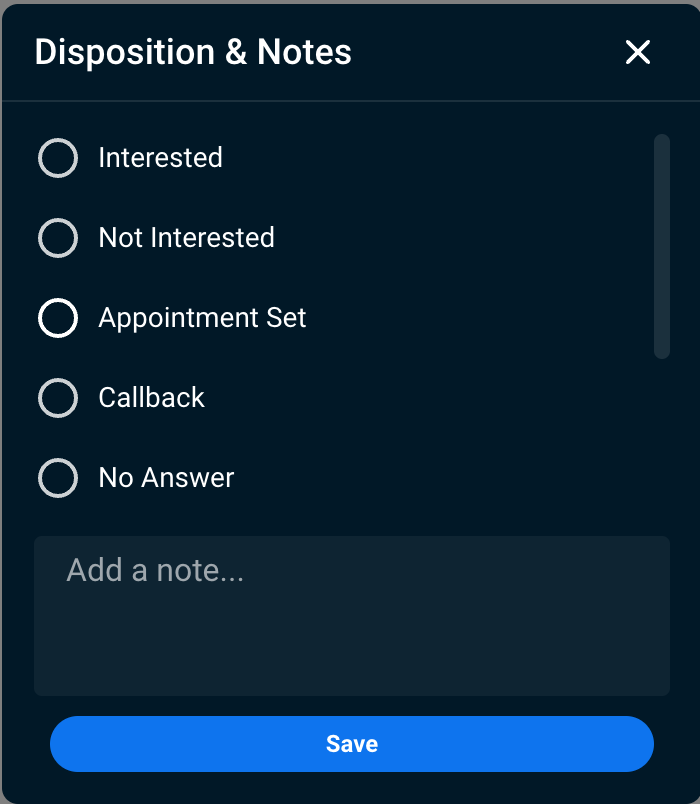
For answered calls, a disposition menu will appear once you or the call recipient hang up. This menu will show up, allowing you to choose the disposition that matches the outcome of your call.
Why don't my dispositions always show up?
The following are auto-dispositions that will take place in the background:
No Answer if the call wasn't picked up
Voicemail if the dialer reached a voicemail message
Bad Number if the dialed number was bad
Generally, a user only sees the disposition modal after a live connection (someone answers the call). However, you may also see the disposition modal pop up after you're connected to an answering machine when your dialer mode is set to "Advanced" instead of "Answer Boost."
Where do I see dispositions?
You can see dispositions in the "tags" column of your contacts menu.
You can always see if a disposition took place by checking the tags on a contact, provided your agency owner has configured the dispositions into your workflows.
For GHL users: When closing the call disposition modal, the system applies a 'wavv-none' tag in GHL to indicate no specific outcome was set. This tag is only applied if the modal is closed without assigning a specific disposition. This tag must be configured before it can be used.