
Yes! You can dial all of the phone numbers for a contact in your CRM. Wavv will add the additional numbers in the call campaign and call through them (but not all at the same time). However, make sure the other phone numbers are added as additional numbers in your CRM and not as custom fields. If they are custom fields, WAVV won't call through them. Here's the proper way to add phone numbers:
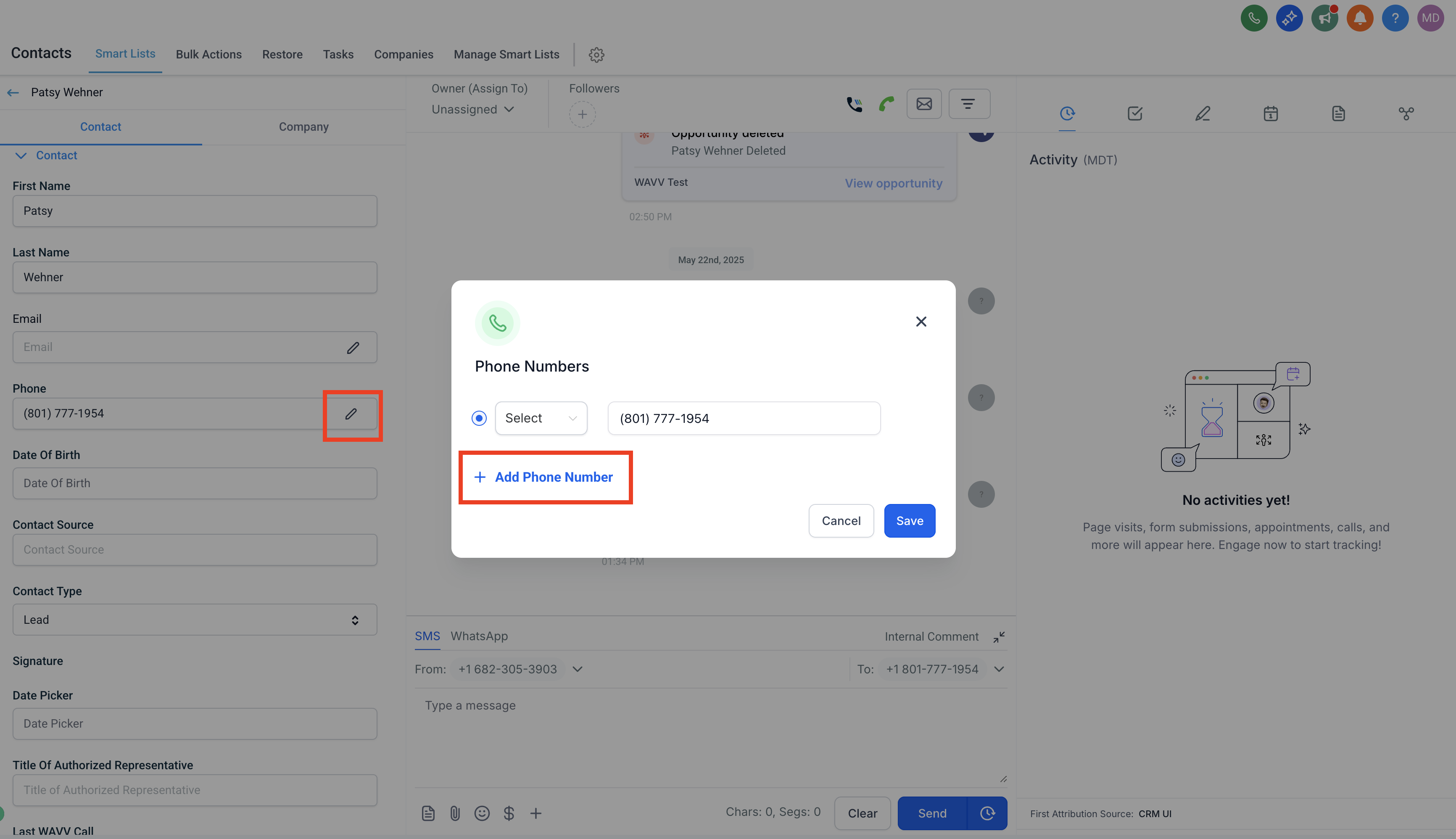
If you're trying to upload a Smart List that includes multiple phone numbers, it must be formatted correctly to put the additional numbers in the proper place and not as custom fields.
How to format your CSV
You can have a column called, "Additional Phones" where the phone numbers need to be in the +1XXXXXXXXXX format and separated by a comma. Then they'll import as additional numbers and not custom fields. Here's a visual:

And here's the sample file provided by GoHighLevel:
We recommend downloading the sample CSV and filling it in with your own lead information.
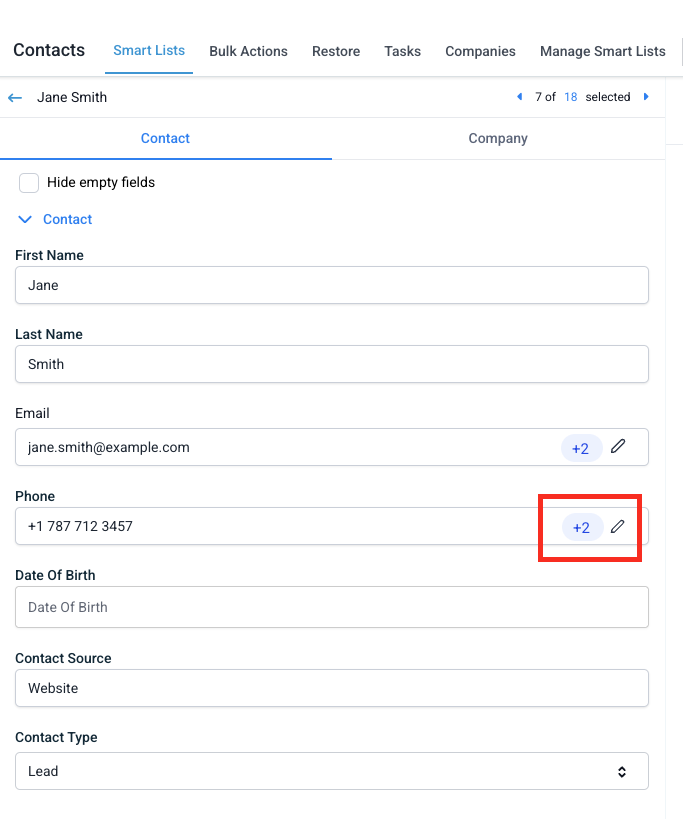
Here's what your additional phone numbers should and shouldn't look like in GoHighLevel in order for WAVV to call them:
Right:
Wrong:
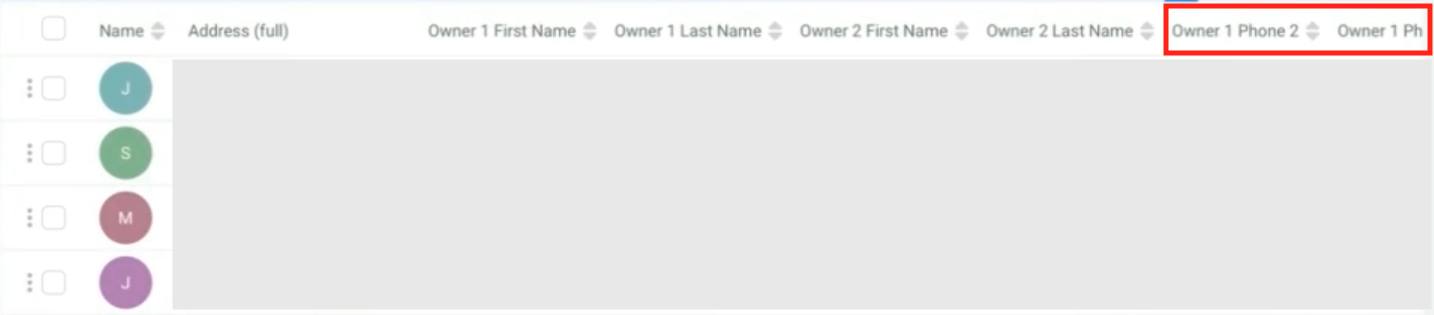
These are custom fields for phone numbers. WAVV cannot call these.