
When you dial in Standard mode on one line, WAVV opens each contact's page before you click Dial. If their notes say not to call yet, click Skip to move to the next contact without placing a call.
Before you start
- Your Dialing Mode must be set to Standard. Skip doesn't appear in Advanced or Answer Boost mode.
- You need to be dialing on 1 line.
- On a call board, the stage's dialer settings need to be Standard mode and 1 line.
- You need a dialer seat.
| Your dialer setup | What you'll see |
| Standard mode, 1 line (including a call board stage set to Standard mode and 1 line) | Skip | Dial |
| Advanced or Answer Boost mode | Dial only |
| 2 or more lines | Dial only |
| A scheduled callback | Dial only. The scheduled call pop-up already has Skip Call. |
| No dialer seat, or a manager is monitoring your call | Skip and Dial are both unavailable |
How to skip a contact
1. Start your call session and click Next. WAVV opens the next contact's page.
2. Read the contact's notes.
3. If you don't want to call them right now, click Skip next to Dial in the mini dialer.
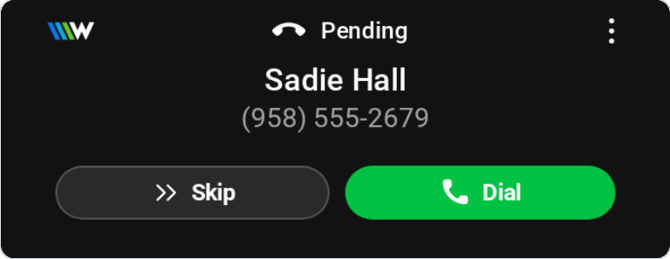
4. WAVV moves to the next contact and opens their page, just like Next does. If you skip the last contact in the list, the session ends as usual.
Good to know: Skip passes over the whole contact, including all of their phone numbers.
What Skip does and doesn't do
| Area | What happens |
| Calls | No call is placed and no call attempt is counted. |
| Your CRM | Nothing is written to the contact record. |
| Call boards | The contact stays in its current stage. Automations don't run, because they only fire on call attempts. |
| This session | The contact (and all of their numbers) is removed from this session and won't come back later in it. |
| Next session | The contact is back in your list. |
| Teammates | Skip doesn't lock the contact. A teammate can still call them in their own session. |
How this connects: Skip only affects your current session. To keep someone off your list long-term, move them to a different call board stage, remove their tag or segment, or snooze them with a call board automation.
Still stuck?
Reach out to WAVV Support through chat at help.wavv.com.
Related links: Dialing Mode · Automations in Call Boards
Next step: Automations in Call Boards
Frequently asked questions
Why don't I see the Skip button?
Skip only shows in Standard dialing mode on one line, when the dialer is waiting for you to click Dial. In Advanced or Answer Boost mode, or with 2 or more lines, you'll only see Dial. Check your dialer settings, or the stage's dialer settings if you're calling from a call board.
Will skipping a contact count as a call attempt?
No. No call is placed, so the attempt count doesn't change and call board automations based on call attempts won't run.
I skipped someone by mistake. How do I get them back?
They'll be back the next time you start a session. You can also call them directly from their contact record.
Does Skip work in HubSpot and on call boards?
Yes. Skip works the same way in every CRM, including HubSpot, and on call boards and lists.
Can I skip a single phone number instead of the whole contact?
Not right now. Skip passes over the whole contact, including all of their numbers.